
Google Calendar Room Booking
Book the right room in Google Calendar.
Find available rooms across your offices, invite colleagues, and keep meeting plans in the calendar your teams already use.
Illustrative calendar booking adds a Tuesday team meeting, attaches Room 4 with six seats and confirms check-in.

Calendar Integration
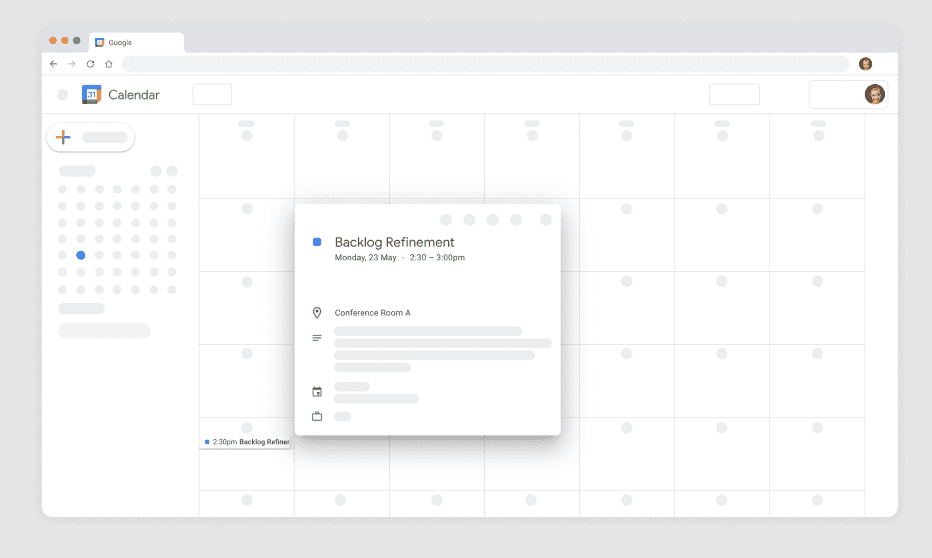
Find and book the perfect space
Kadence conference room booking software integrates seamlessly with your Google calendar for faster rollout and adoption. Search for available spaces across different office locations easily directly from the Google calendar, book rooms and invite colleagues with just a few clicks.
Room Availability
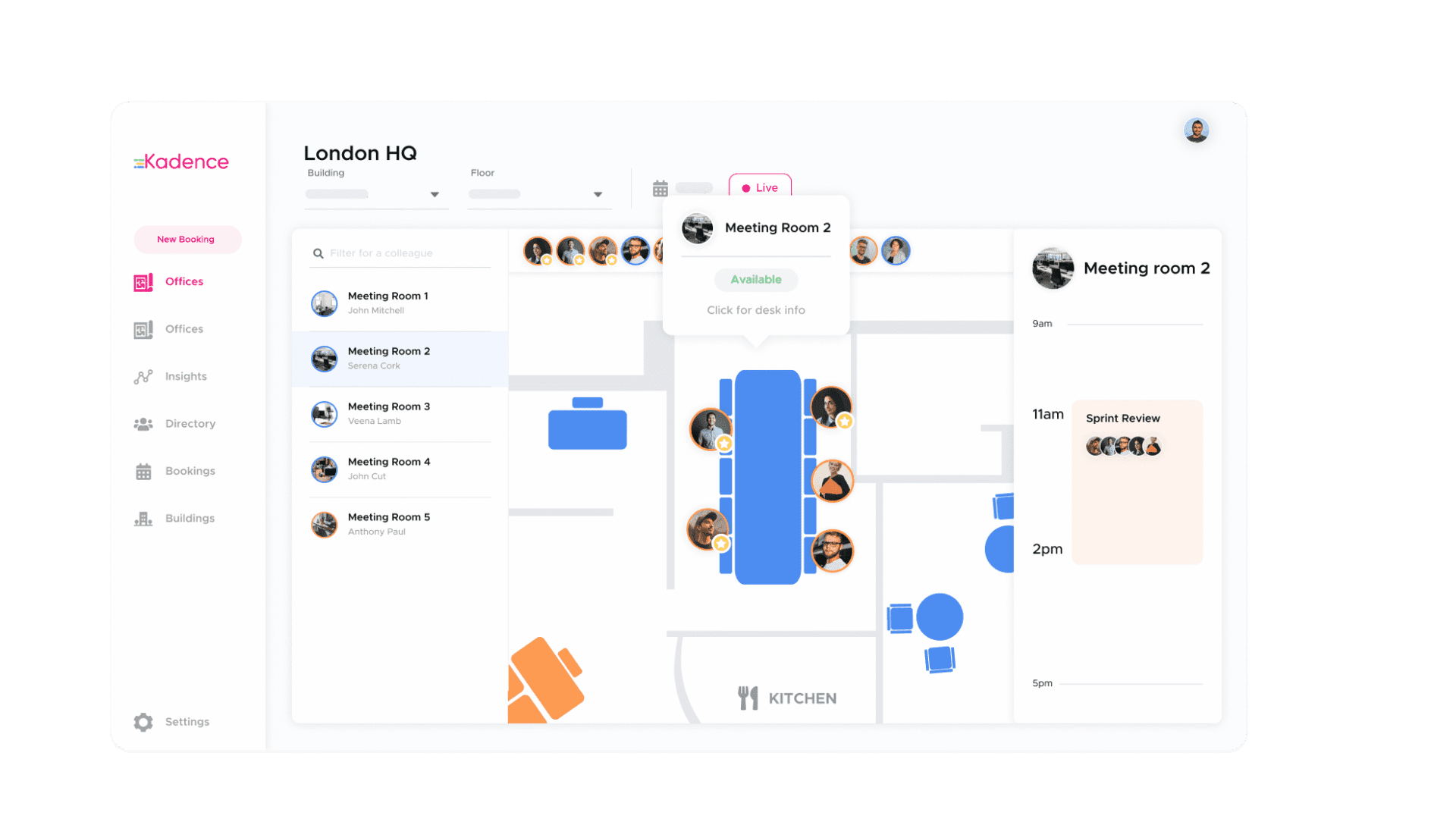
All your room bookings in one place
Get a complete view of all meetings and conference room availability in a single dashboard, with controls on who has access to specific spaces and when. Get a clear view of who is in or out of the office with real-time booking data. Easily view all your occupied meeting spaces and know what’s available at a glance.
Built for Google Workspace
Kadence connects to Google Workspace once, then keeps rooms, people and teams in step. IT decides which rooms Kadence can see.
- Two-way sync with Google Calendar room resources.
- Single sign-on with Google, and directory sync that adds and removes users as your directory changes.
- Teams built from Google Groups or a custom attribute, so Kadence teams match your departments.
- Profile photos synced from Google Workspace.
- An optional limit to chosen room mailboxes, for pilots or building-by-building rollouts.
How Google Calendar room booking works with Kadence
Each meeting room exists as a resource in Google Workspace and as a room in Kadence. When someone adds a room to an event in Google Calendar, the booking appears in Kadence shortly after. When someone books a room in Kadence, in Slack or at a Kadence Room Display, Google Calendar creates the event and invites the room. Google Calendar stays the source of truth, and two-way calendar sync prevents double bookings.
Kadence adds room availability on an interactive floor plan, check-in and auto-release of rooms nobody uses. Desks, parking and other spaces are booked in the Kadence web and mobile apps or in Slack, so one tool covers the whole office.
Set up in Google Workspace
- In the Google Admin console, open Security, then API controls, and add Kadence under domain-wide delegation with the calendar and directory scopes from the setup guide.
- Copy your Google Workspace customer ID from Account settings.
- In Kadence, go to Settings, Integrations, Calendar Integration, and connect Google with the customer ID and an admin email.
- Create rooms in Google Workspace under Buildings and resources, then match each one to a room in Kadence.
Full steps: Google Calendar integration guide. Sign-in and user provisioning are covered by single sign-on and directory sync.
FAQ
Frequently asked questions
Can you book meeting rooms in Google Calendar with Kadence?
Yes. People add a room to an event in Google Calendar as usual, and Kadence picks up the booking through two-way sync. Rooms booked in Kadence, in Slack or at a Kadence Room Display appear in Google Calendar too. Kadence adds floor plans, check-in and auto-release, so booked rooms that sit empty are freed for others.
How do I see room availability in Google Calendar?
Rooms set up as Google Workspace resources show their availability in Google Calendar when you add a room to an event. Kadence keeps that availability accurate by syncing bookings made in Kadence and releasing no-shows. People can also see free rooms on the Kadence floor plan, in the mobile app and on Kadence Room Displays.
Does Kadence support single sign-on with Google?
Yes. People sign in to Kadence with their Google account, and admins can make single sign-on mandatory. Directory sync with Google Workspace adds new users and removes people who leave, so access stays current without manual work.
Can Kadence sync teams and profile photos from Google Workspace?
Yes. Kadence can create teams from your Google Groups, or from a custom attribute if your groups do not match your departments. It also copies each person's Google Workspace profile photo, so colleagues are easy to recognize in Kadence. A Kadence Global Admin sets up the mapping once.
Can we limit which rooms Kadence syncs from Google Calendar?
Yes. By default, the integration can see all room resources in your Google Workspace. Admins can limit it to chosen room mailboxes with a custom access group in the Google Admin console. This suits pilots and large estates that roll out building by building.
Explore more
Next step
Start working smarter with Kadence
Book a demo, and see Kadence in action. Find out how we can help create smarter, more productive workplace for your people.