
Flexible Office Space
Find flexible space for your distributed teams.
Give teams access to on-demand workspaces, coordinate where people work, and pay for the space they need.
Illustrative flexible office space occupancy: Project team 50%, Visiting team 33%, Local team 67%. A floor plate shows the three team neighborhoods on City workspace · Shared floor.
Key Features Flexible Office Space On Demand
Flex Spaces
Get Access To Thousands Of Flexible Office Space Near You
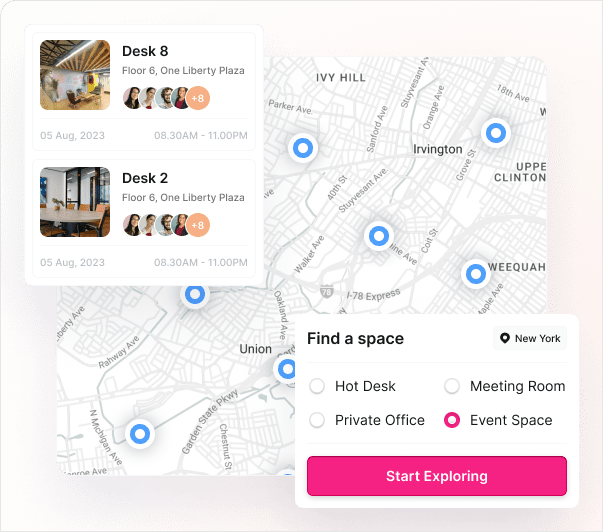
Discover thousands of flexible office spaces and co-working spaces near you. With just a few clicks, book the perfect spot for your teams, whether it’s a shared office or a dedicated desk.
- Make hot desking arrangements for you and your team members
- Gain instant access to on-demand office spaces for remote and hybrid work
Cost-Effective
Only Pay For The Office Space You Need
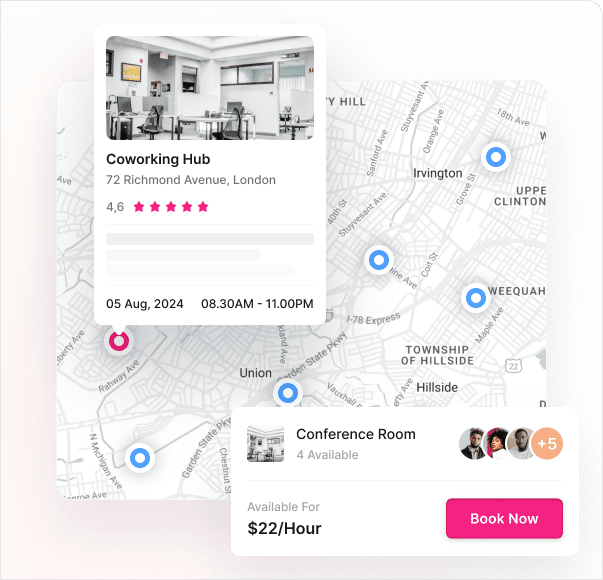
Cut back on your real-estate costs and ditch the long leases on your office space. Unlock a global network of office spaces – all with rental terms including short-term leases, rolling contracts, or pay-as-you-go options.
- Maximize savings by only paying for the space you need
- Manage spending budgets for each team by setting up permissions based on location, and space type
Streamline Coordination
Coordinate Your Entire Workforce In One Place
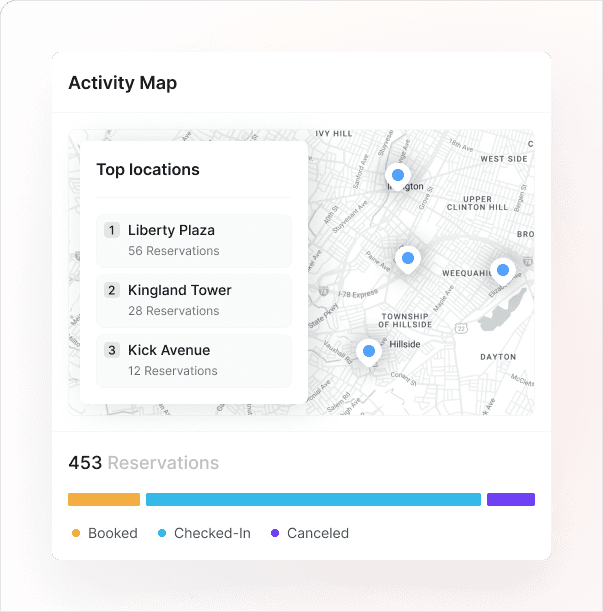
Cut back on your office spend is by seeing how much your office is used on a daily or monthly basis. With Kadence Flex, you can keep track of real-time bookings, measure the success of your hybrid policies all in one platform.
- See all of your booking data across your leased and on-demand spaces in one platform
- Choose the best flex space options for your teams based on the distance of your HQ office space
Seamless Connectivity
Join Your Team Wherever They’re Working
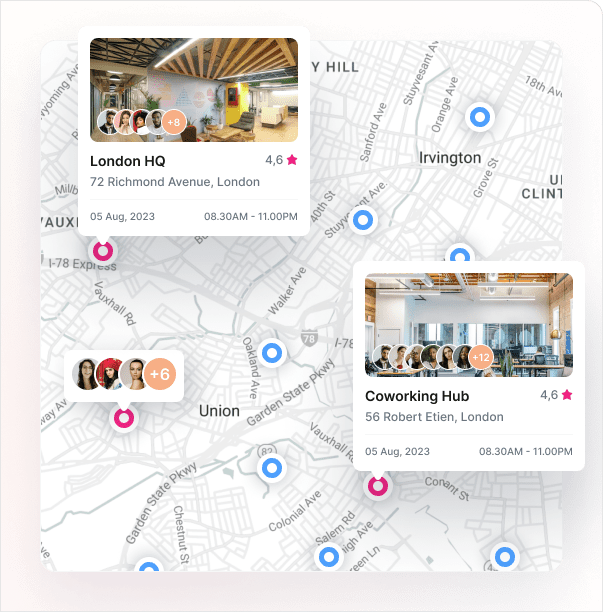
Planning to meet your favorite teammates in the office can be a huge challenge – especially when everyone is in a different location. See where all your teammates are so you can join them in the office space that’s closest to you.
- Get notified every time your teammate has made a booking or canceled their booking
- Schedule recurring team days in the closest flexible office space that’s best for everyone
An absolute game-changer to empower teams with the autonomy and flexibility, as well as provide our business with a unified experience across our leased and flex portfolio.
Jeff Gwinnett
Senior Director, Workplace Experience & Sustainability at Softchoice
FAQ
Frequently asked questions
What is a Flexible Office Space?
A flexible office space, such as a shared office or flexible workspace, offers various work options, from stylish hot desks to relaxed open offices and vibrant coworking areas. Due to COVID-19, companies are recognizing the importance of these adaptable setups for productivity, teamwork, and adaptability, and they’re leveraging technology to effectively manage and comprehend these work environments.
What is the difference between flexible workspace and coworking space?
A flexible workspace offers different kinds of office setups like private offices, open areas, and shared facilities to suit different work preferences. On the other hand, a coworking space is all about creating a community where independent workers and small businesses can collaborate and network while sharing the same workspace.
How can I start booking on-demand flexible office space?
You can start booking on-demand workspaces if your company has Linked its Kadence and LiquidSpace account. Once they have done this, users will gain access to hybrid workspaces across the globe. On their first booking, users will need to log in to LiquidSpace. Those without LiquidSpace accounts will have an account generated for them during this process. Read here to learn how to get started with on-demand space booking.
Can I schedule team days in any flex space?
Yes. In Kadence you can set up regular times for you and your teams to meet in any flex office location available. If you’re a Team Manager just go to edit your teams and set up a Team Kadence to determine the office location, the regularity of your team days and when you’d like it to start. Read more here on how to set up a Team Kadence.
Can I see where my teammates are working?
Yes. There are several ways for you to see where your teammates are working on the day you’re planning to head to the office. You’ll either get notified when they’ve made a booking which will tell you where they will be working that day, or you can go to create a booking and find which office they’re in that way. You can also see where they plan to be working in the future by checking out their profile or in your Starred Colleagues list. However, the quickest way to find where your teammates are working is by asking Kadence AI to get an instant response.
Explore more
Next step
Get Started With Kadence Today
Let Kadence take the hassle out of hybrid working. Book a customized demo today.