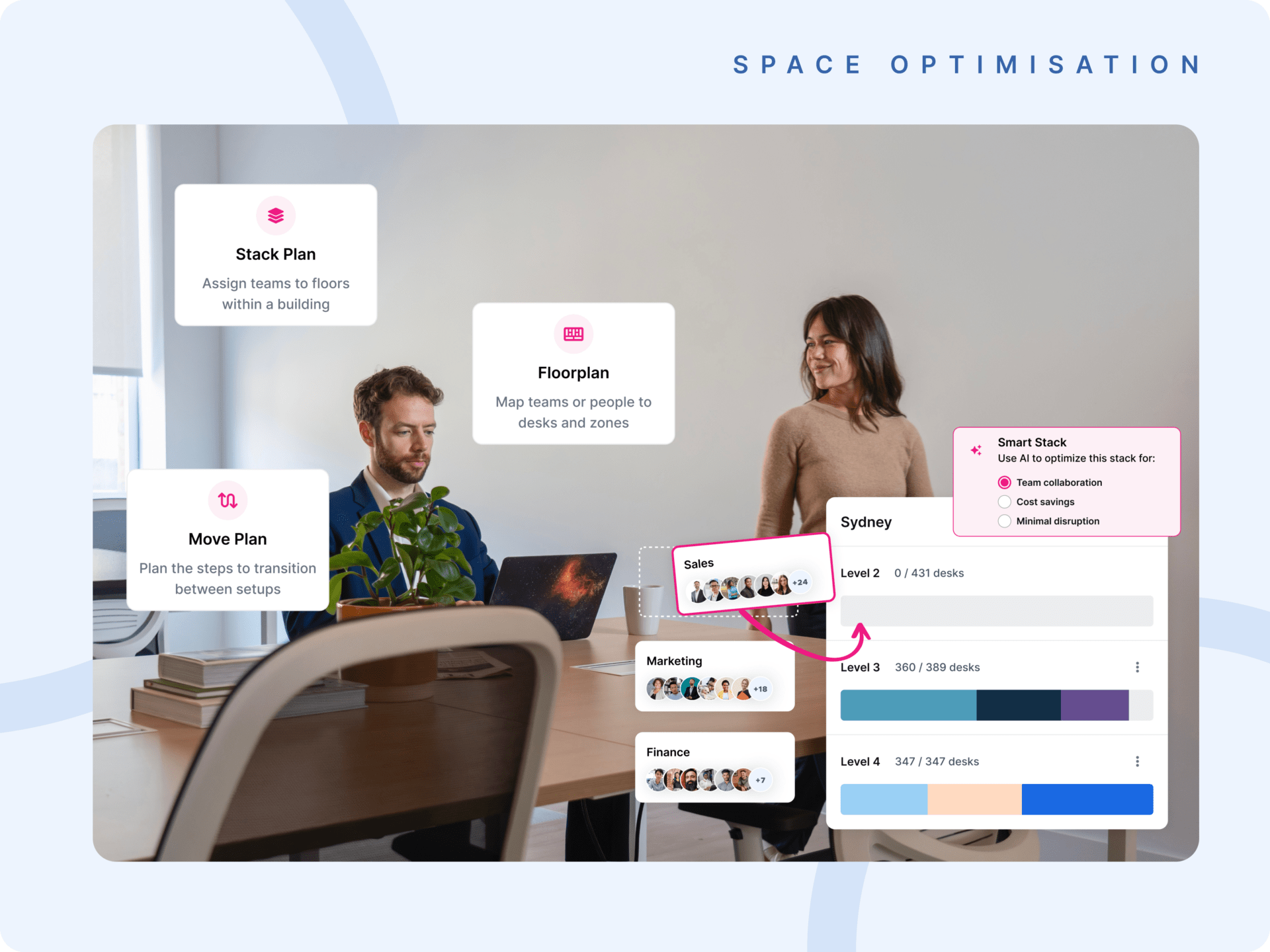
Workplace management system implementation is the process of planning, configuring and rolling out software that coordinates how an organization uses its space, workplace data and day-to-day operations. It is a technical and an operational undertaking at the same time. Deploying the software does not, on its own, change how people behave.
Successful implementation depends on three things: clear goals set before rollout begins, a phased approach that lets the organization learn and adjust, and real investment in adoption across every team that will use the system. Done well, the rollout reshapes how the organization coordinates space, manages data and makes decisions about its physical environment. The steps below take an enterprise rollout from first planning through to long-term optimization.
What should you decide before implementing a workplace management system?
Decide what the organization is trying to achieve, which functions the system will affect and how success will be measured. The most important implementation decisions are made before go-live. Organizations that rush to deployment without aligning goals, auditing their data and securing stakeholder buy-in consistently face adoption problems and weak ROI after launch.
A workplace management system is software that brings space, bookings, workplace data and operational workflows into one place, so workplace, real estate and facilities teams can run the office and plan it from the same information. For a fuller definition, read What Is a Workplace Management System?
Before anyone selects or configures a platform, leadership should agree on three points:
- The goal. What decision or outcome is the system meant to improve?
- The scope. Which locations, teams and functions are in the first phase, and which follow later?
- The measures. Which metrics will show whether the implementation delivered value?
These answers shape every later step, from vendor selection to training.
How do you implement a workplace management system step by step?
An enterprise rollout follows seven steps: define objectives and success metrics, select and configure the platform, prepare and migrate data, plan a phased rollout with testing, drive adoption through training and change management, integrate with existing systems, then monitor and optimize after go-live. Each step depends on the quality of the one before it.
Step 1: Define objectives, scope and success metrics
Clarity before action is the foundation of any workplace management implementation. Organizations that begin rollout without defined objectives typically end up with a system that is technically deployed but operationally underused.
Success looks different depending on the organization:
- For some, it means reducing cost per employee by right-sizing underutilized floors.
- For others, it means improving hybrid coordination so teams can plan in-office days with confidence.
- For real estate teams, it might mean having the data needed to model lease decisions before committing to them.
Whatever the goal, workplace, IT, finance and HR stakeholders need to define and agree on it, then tie it to metrics that can actually be tracked. Without that alignment, it is hard to judge whether the implementation delivered value, and equally hard to build the internal case for continued investment.
Step 2: Select and configure the right platform
Selecting a workplace management solution means evaluating fit, not just features. A platform that looks comprehensive in a demonstration may not map to how the organization actually operates, particularly if it was assessed against a generic checklist rather than the goals set in step 1. A structured evaluation, such as the one in the Kadence buyer’s guide, keeps the comparison anchored to your own requirements.
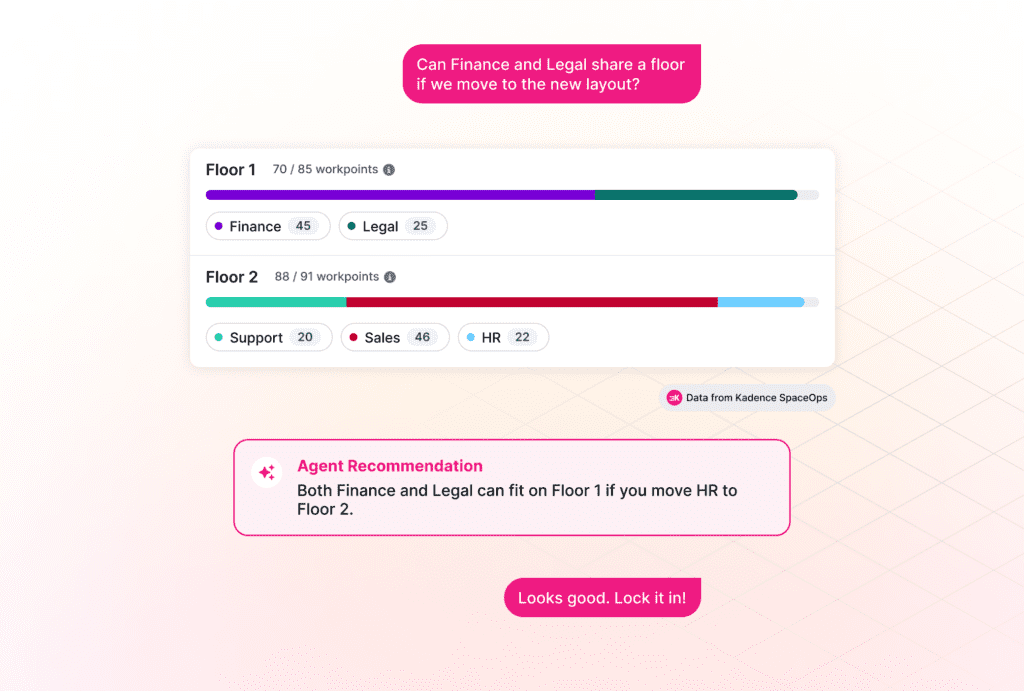
Configuration is where many implementations lose momentum. Organizations sometimes treat it as a technical task rather than a strategic one, and end up with a system that mirrors existing processes instead of improving them. Configure the platform to support the decisions the organization needs to make, with room to adapt as those needs change. Validate scalability, integration capability and ease of use for each role during this stage. Do not assume them.
Step 3: Prepare and migrate your workplace data
Data quality is one of the most underestimated factors in implementation. A 2025 report by the IBM Institute for Business Value found that 43% of chief operations officers identify data quality as their most significant data priority. Organizations that enter implementation with poor underlying data tend to produce poor insights from the outset.
Before migration, audit the existing data:
- floor plans and space assignments;
- employee records;
- booking history;
- asset inventories.
Clean, standardize and validate this data before it moves into the new system. Test the migration before full rollout, so the team can find gaps and correct errors while the stakes are lower. The principle is simple: a workplace management system is only as useful as the data it runs on.
Step 4: Plan a phased rollout and test each phase
Large, simultaneous rollouts carry significant risk. An organization that deploys across every location and user group at once has little room to learn from early mistakes before those mistakes affect everyone.
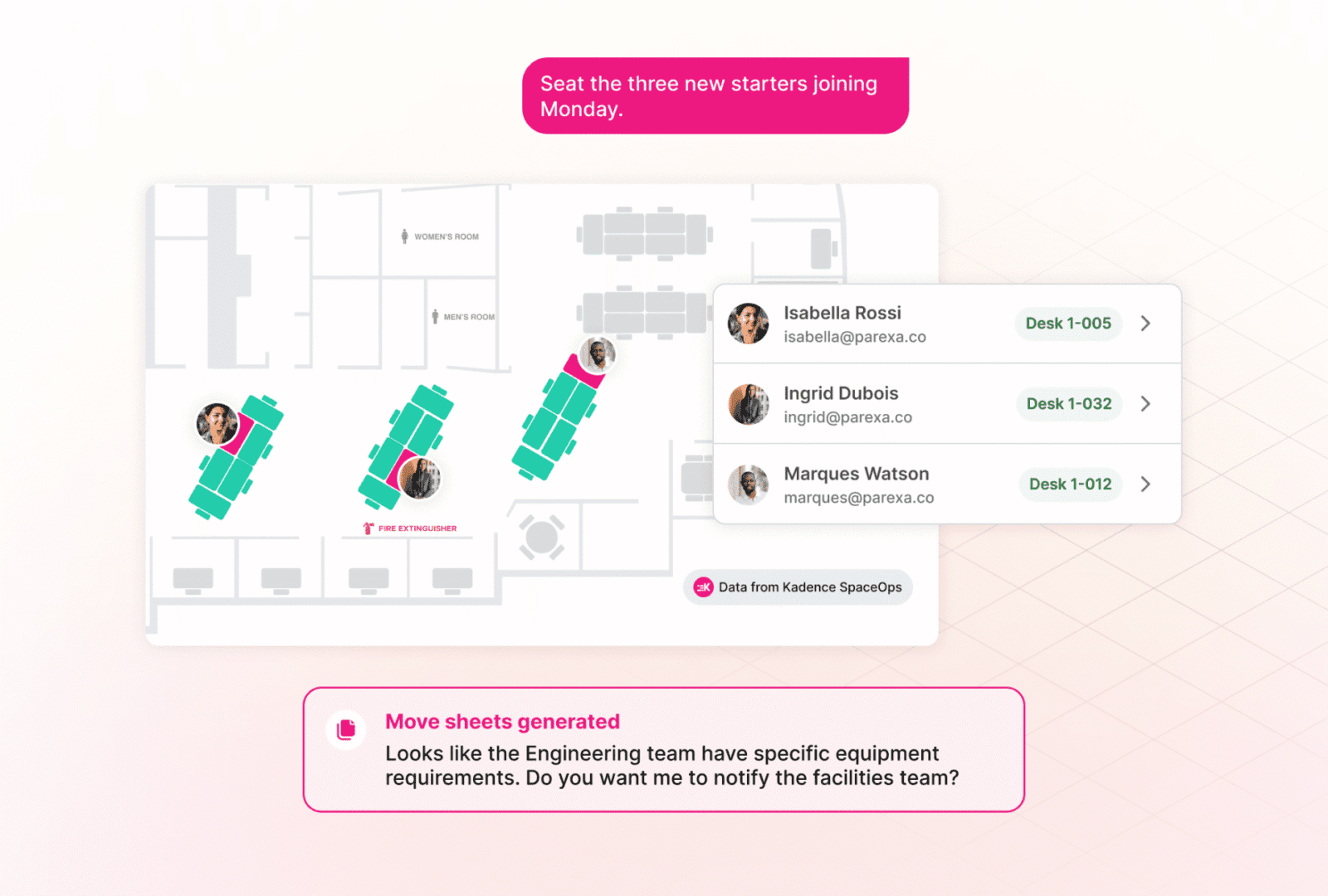
A phased approach starts with a pilot in a single team, office or function. The pilot lets the implementation team test configuration, find friction points and refine the rollout before scaling. Build user acceptance testing into each phase. User acceptance testing means representative employees confirm that the system behaves as expected in real working conditions. Organizations that pilot and iterate consistently achieve smoother adoption and stronger long-term engagement than those that treat go-live as a single event.
Step 5: Drive adoption through training and change management
Adoption is the single most important success factor in any workplace management implementation. If employees do not use the system consistently, it cannot generate the data the organization needs for better decisions, and the business case for the investment falls apart.
Three practices make the difference:
- Internal champions. Name a champion in each affected team. Champions give the rollout a human face and give employees a contact who understands both the system and their day-to-day work.
- Role-based training. Administrators who manage space and reporting need different guidance from employees who book desks or check in.
- Clear communication. Explain what the system does, why it is being introduced and how it helps individuals as well as the organization. This reduces resistance and builds early engagement.
Track adoption as a metric. Do not assume it as an outcome. For an example of a rollout built around adoption, see how MOPAC implemented desk booking.
Step 6: Integrate with existing systems and workflows
A workplace management solution that runs in isolation from the rest of the technology stack quickly becomes another siloed tool. Its value grows significantly when it connects with the platforms employees and teams already rely on: HR systems, calendar tools, access control infrastructure and enterprise resource planning platforms.
Integration lets the system act as a single source of truth for workplace data rather than one input among many. That reduces duplication, improves data accuracy and gives cross-functional teams, from facilities to finance, a consistent view of how the workplace is performing. Map existing system dependencies before implementation begins, and check a vendor’s integration capabilities before you finalize platform selection. Poor integration limits the system’s long-term value and is one of the most common reasons implementations fail to scale.
Step 7: Monitor performance and optimize over time
Implementation does not end at go-live. The shift from deployment to continuous improvement is where workplace management systems generate their most durable value.
Track metrics tied directly to the objectives set in step 1, whether that is space utilization, cost per employee, booking adoption rates or hybrid attendance patterns. According to JLL’s 2026 Global Occupancy Planning Benchmark Report, the gap between actual and target office utilization has narrowed to 18 percentage points globally. That suggests organizations with better data are setting more realistic targets and closing the gap more effectively.
Feedback from employees and managers surfaces issues that data alone may not reveal. As the organization’s needs change, reconfigure and extend the system to support more advanced capabilities, including scenario planning and portfolio-level workplace analytics.
Who should be involved in a workplace management implementation?
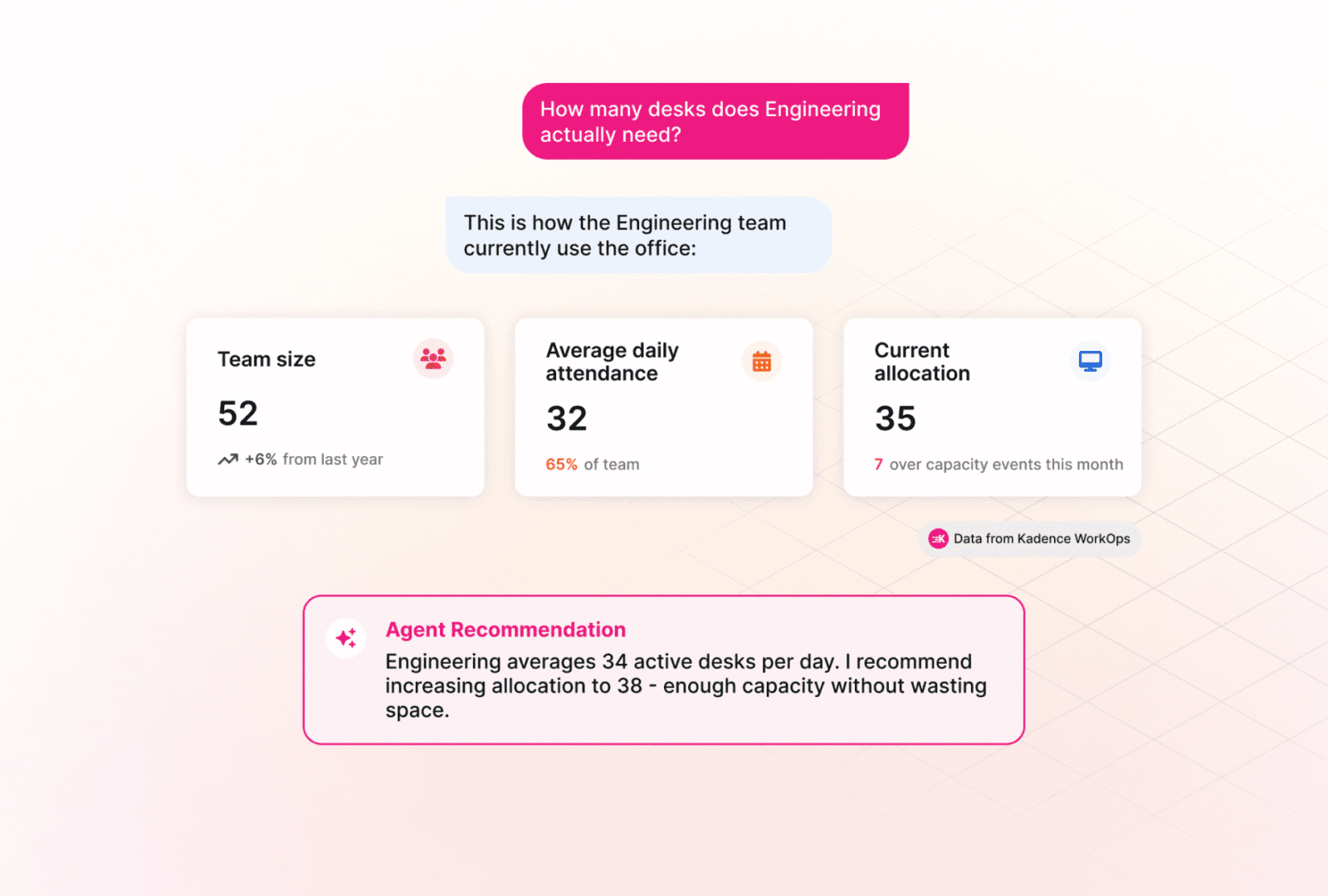
Workplace and facilities teams, IT, HR and finance should all be involved from the planning stage. Together they make sure the system is configured for cross-functional needs and integrates with existing tools. One owner should also be accountable for the outcome, because an implementation that nobody owns tends to stall.
Each group brings something different to the rollout:
- Workplace and facilities define how space is used and managed day to day.
- IT owns integrations, data migration and access.
- HR holds employee records and shapes communication and change management.
- Finance ties the objectives to cost and judges whether the investment is paying off.
Internal champions in each team then carry the rollout from the planning group to the people who use the system every day.
What are the most common workplace management system implementation challenges?
The most common challenges are unclear ownership, poor data quality, low user adoption, overly complex rollouts and integration gaps with existing systems. They are predictable, and most are avoidable with clear goals, early data audits, role-based training, phased deployment and integration planning before launch. Knowing them in advance reduces the risk of a costly course correction.
- Lack of clear goals or ownership. This is the most frequent root cause of implementation failure. When no one is accountable for the outcome, decisions get deferred, timelines slip and adoption becomes no one’s responsibility. Mitigation: agree objectives up front and name one accountable owner.
- Poor data quality. Bad data entering the system produces unreliable outputs, which erodes confidence in the platform early. Mitigation: audit and clean data before migration.
- Low user adoption. Usually the result of insufficient training or change management. The system then generates incomplete data and fails to deliver the decision support it was designed for. Mitigation: role-based training, champions and adoption tracking.
- Overly complex rollouts. Strategies that try to do everything at once create unnecessary risk and overwhelm implementation teams. Mitigation: pilot first, then scale in phases.
- Integration gaps. Missing connections, particularly with HR systems and calendars, stop the system from working as a unified data source. Mitigation: plan integrations before platform selection.
How do you measure success after implementation?
Measure success against the objectives defined before rollout began, not simply by whether the system is technically working. The right metrics vary by organization, but most enterprises track space utilization, cost savings from better space allocation, employee adoption and reductions in manual coordination. Treat measurement as an ongoing process, not a one-time review.
Typical measures include:
- space utilization and occupancy trends across locations;
- cost savings achieved through more efficient space allocation;
- employee adoption rates and engagement with the system;
- operational improvements, such as less manual coordination overhead.
Qualitative feedback also matters. If employees say the office feels more organized and predictable, that is a meaningful signal. The most effective organizations use their workplace management data to keep refining policies, adjust space configurations and make the case for further investment in space management and portfolio optimization.
How does Kadence support workplace management system implementation?
Kadence supports organizations through every stage of implementation, from configuration and integration to adoption, analytics and long-term portfolio optimization. A successful rollout needs a platform built for the complexity of real enterprise environments, not just the simplicity of a demonstration.
The Kadence platform guide explains how the platform’s parts fit together. To see how Kadence supports a structured, scalable implementation for your organization, book a demo with our workplace operations experts.
Frequently asked questions
What is the best way to implement a workplace management system?
Start with clearly defined objectives and success metrics. Choose a platform that fits your organization’s specific needs, then deploy in phases rather than all at once, so you can test and iterate before full rollout.
How long does it take to implement workplace management software?
Timelines vary by organization size and complexity. Most enterprise implementations take between three and twelve months when they follow a phased approach that includes data migration, integration and change management.
Which teams should be involved in implementation?
Workplace and facilities teams, IT, HR and finance should all be involved from the planning stage. That way the system is configured to support cross-functional needs and integrates with existing tools.
How do you ensure successful adoption after implementation?
Designate internal champions, provide role-based training and communicate clearly about the purpose and benefits of the system. Track adoption as a metric from day one rather than assuming it will happen on its own.