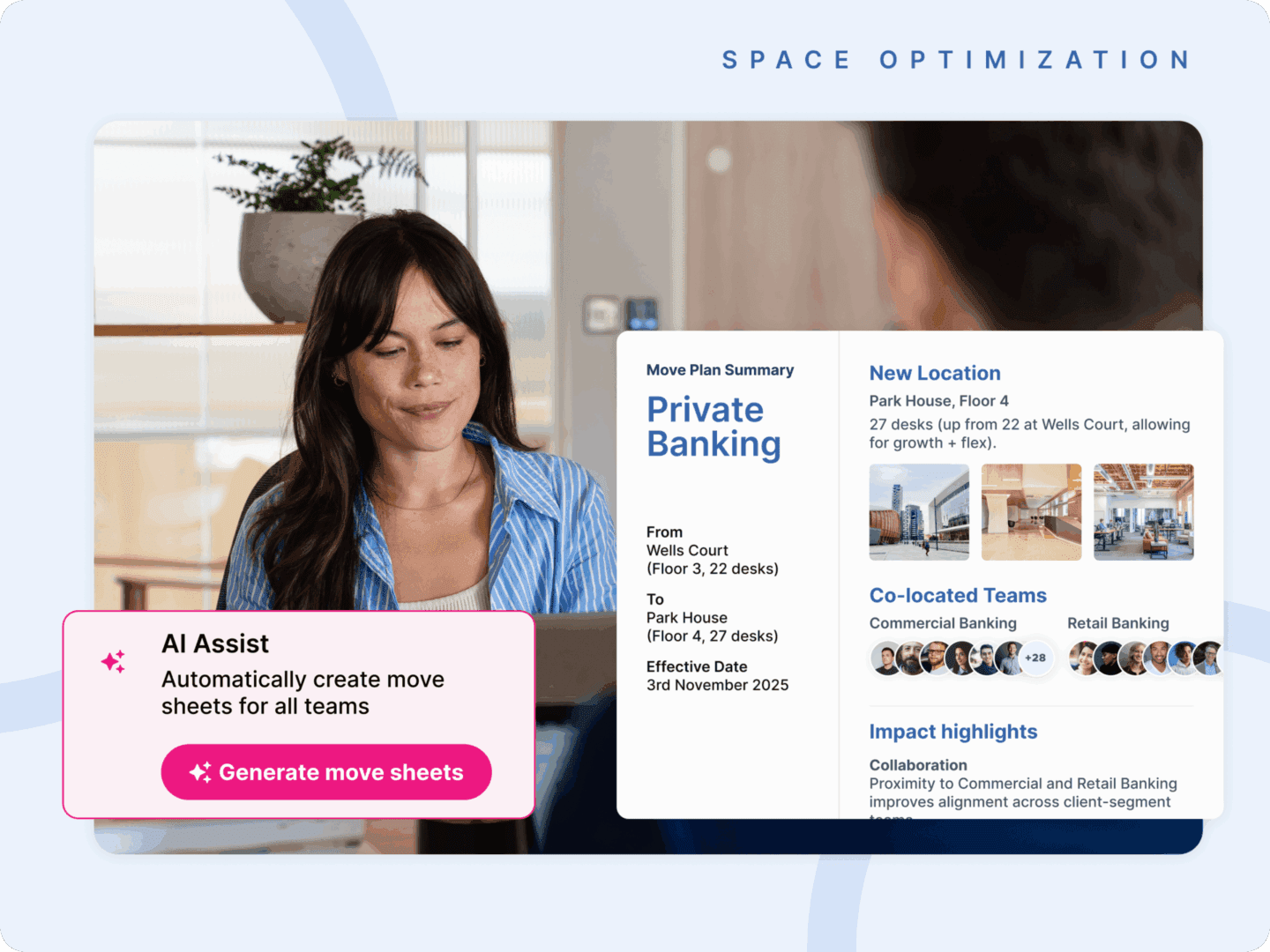
Move management is the practice of planning, organizing and executing workplace changes so that people, office space and resources stay aligned. It covers everything from relocating a team across one floor to shifting entire departments between buildings, and it coordinates who moves where, when and how.
In every organization, change has a physical footprint. Teams grow, projects change and office layouts must keep pace. Whether a business is merging departments, opening new hubs or right-sizing its space, moving people and resources is now a constant part of work. Once treated as an administrative task, move management is now a strategic function that keeps offices efficient, compliant and connected during change.
What is office move management?
Office move management is the discipline of planning, organizing, and executing workplace changes so that every employee has a seat, every desk has power and every department has the tools it needs from day one. It combines logistics, communication and data to minimize disruption and maintain productivity.
The scope runs from a single desk change to a full relocation. What stays the same is the job: make sure the space, the people and the equipment arrive in the right place at the right time.
Historically, moves were handled manually. Facilities teams managed floor plans through CAD drawings, tracked updates in spreadsheets and relied on long email chains for coordination. Each move was a one-off project that depended on memory and manual checks. Mistakes were common, and even small errors led to downtime, confusion or wasted space.
Why does office move management matter?
Move management matters because the strategy behind a space decision only delivers value if the move that follows is executed cleanly. A sound consolidation plan fails if teams land on an overcrowded floor or lose the adjacencies they depend on. And because offices now change continually, a reliable move process is a baseline requirement, not an occasional one.
The modern office is in constant motion. Rather than reconfiguring space once or twice a year, organizations adjust it continually as policies, headcount and team structures shift. Each adjustment is a move to be planned. The forces behind that motion are consistent:
- Finance-led mandates to consolidate and right-size.
- Lease renewal cycles that force restacks and relocations on a fixed timeline.
- Hybrid attendance patterns that require ongoing changes to neighborhoods and seating.
- Hiring volatility that creates frequent team-level moves.
Kadence Pulse data shows that offices with unpredictable attendance patterns see lower and more volatile utilization, while consistent patterns support stronger space use.

Where execution breaks down, it is rarely the logistics that fail. It is stakeholder misalignment, missed dependencies and plans that go stale before the move date. The business impact is real:
- Productivity drains away through downtime and lost focus.
- Cost rises through duplicated effort and space that sits underused.
- Employee trust erodes when people repeatedly return to a workspace that is not ready.
What reads as an operational hiccup compounds into a measurable drag on performance and spend. Handled well, move management does the opposite. Fewer errors mean less downtime, better communication drives higher engagement, and consistent coordination keeps compliance and safety standards intact. Organizations that master it can adapt faster, scale with confidence and maintain continuity as their workforce changes.
What are the different types of office moves?
The main types are full office relocations, internal team moves and restacks, consolidations, and the routine moves, adds and changes that keep a workplace current. Not all moves are equal. Each type carries a different planning burden, a different set of stakeholders and a different risk profile, so the process has to scale to match.
Full office relocations and corporate move management
A full relocation moves the entire organization to a new building or location, and it is the most complex type of move. Corporate move management at this scale involves a large stakeholder group, heavy IT and equipment logistics, overlapping lease periods and extensive vendor coordination. Employee communication becomes a project in its own right, since every person needs to know where they are going and when. The margin for error is small, because the whole business is exposed to any misstep.
Internal team moves and restacks
A restack is a reorganization of which teams sit on which floors of a building. Internal moves and restacks shift teams within a building or across a portfolio. They happen far more often than full relocations but get less visibility, which is exactly where most coordination breakdowns occur. The complexity lies in keeping team adjacencies intact, avoiding capacity strain on the floors that receive people, and sequencing overlapping moves so one team is not displaced before another has cleared.
Consolidations and downsizing moves
Consolidation moves reduce footprint by condensing teams into less space, and every one carries a cost implication visible to leadership. The plan has to stand up to finance, avoid peak-day capacity failures once teams are combined, and protect the employee experience through a transition that can otherwise feel like a downgrade. For a customer example, see how RCS England consolidated its office space.
What are moves, adds, and changes (MAC)?
Moves, adds, and changes (MAC) are the routine adjustments that keep a workplace current:
- Moves: relocating employees and their equipment.
- Adds: provisioning new hires or resources.
- Changes: modifying existing layouts or assignments.
The term has roots in IT and telecommunications but is now equally central to workplace operations. Moves and changes are typically owned by workplace operations and facilities teams, while adds and disconnects often involve IT systems integration.
What are the core components of move management?
Move management has five core components: assessment, planning, execution, communication and evaluation. Managed together, they reduce downtime, eliminate duplication and keep employees engaged during disruption. The most effective teams blend structure with adaptability and run all five from one shared plan rather than five parallel efforts.
- Assessment. Understand what is changing, from team sizes and seating preferences to technology and access requirements.
- Planning. Create a detailed move schedule, assign responsibilities and anticipate dependencies such as IT, furniture and communications.
- Execution. Coordinate physical relocations efficiently while tracking progress in real time.
- Communication. Keep employees informed through clear, timely updates to avoid confusion or lost productivity.
- Evaluation. Review the move afterward to capture lessons, confirm data accuracy and refine future planning.
These components describe what a move involves. Office move planning is how they come together in practice. Its purpose is to protect the business from the cost of a move going wrong: lost productivity, duplicated spend and stalled teams.
It does that by sequencing the components into one coordinated plan, built on a single source of truth that workplace, IT, HR, facilities, vendors and employees all work from. When each group plans in its own spreadsheet or email thread, dependencies get missed and versions drift out of sync. When everyone works from one live view of what is moving, when and in what order, the plan holds together and the move runs on schedule.
How do you plan a successful office move?
Plan an office move by following a predictable sequence that scales from a single team to a full building: define the move, baseline the current state, design against real demand, sequence the dependencies, coordinate stakeholders from one plan, then review afterward. The size of the move changes. The sequence does not.
- Define the scope, timeline and decision-makers. Establish what is moving, by when, and who needs to approve it before any detailed planning begins.
- Baseline current space and team allocations. Capture what the existing footprint actually looks like in practice, not what the floor plan says on paper.
- Design the new layout against real demand. Plan neighborhoods, team adjacencies and capacity buffers around actual attendance patterns rather than nominal headcount.
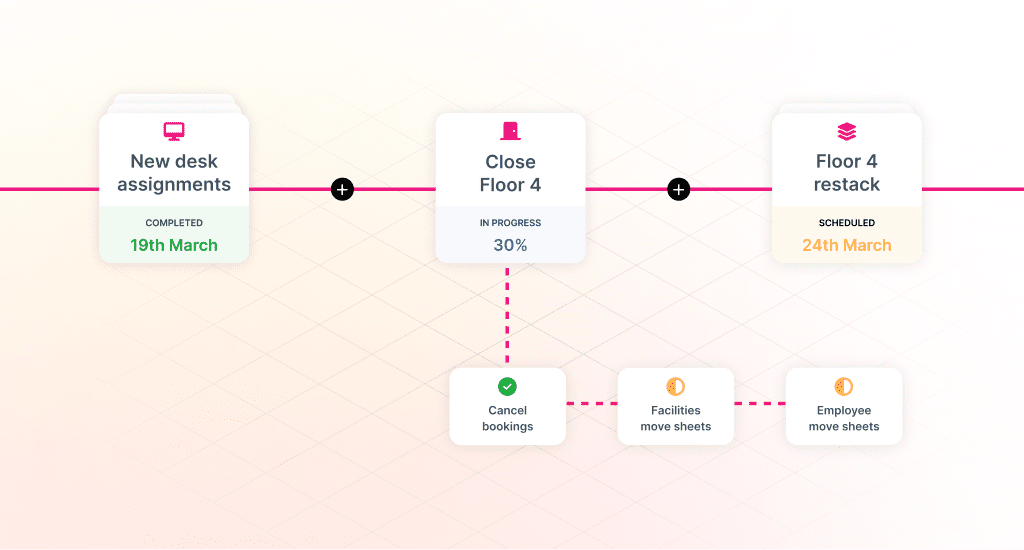
- Map dependencies and sequence the moves. Line up IT, furniture, vendors, employee communication and any parallel team moves so nothing blocks anything else.
- Coordinate stakeholders with a single source of truth. Most office move planning failures are communication failures, not logistics failures, so everyone involved should work from the same live plan.
- Execute and capture post-move feedback. A move does not end on the move date. Record what worked and what did not so the next one runs better.
Why do spreadsheets and legacy systems struggle with move management?
Legacy IWMS and spreadsheet-based approaches capture static information, recording where people sit today, but they lack the intelligence to plan for tomorrow. An IWMS (integrated workplace management system) is a broad facilities platform for managing space, assets and real estate records. These tools rarely integrate with booking data or HR systems, so planners cannot see how people actually use space.
The result is inefficiency and risk. Moves take longer, communication breaks down, and errors go unnoticed until employees return to find their workspace incomplete. When physical space is a living asset, move management needs to be connected, automated and informed by data.
How does move management connect to broader workplace strategy?
Move management is where workplace strategy becomes physical. Upstream decisions, including scenario planning, floor plan changes and consolidation modeling, only create value once a move turns them into reality. That makes move management the execution layer of workplace strategy, not an administrative afterthought.
The connection runs in a clear line:
- The outputs of workplace scenario planning become the move plans that put a chosen future in place.
- Occupancy and floor plan decisions become physical through the moves that execute them.
- The broader discipline of office space planning ties the sequence together, linking strategy to execution so that no decision stops at the modeling stage.
Move management closes that loop.
How does Kadence SpaceOps support move management?
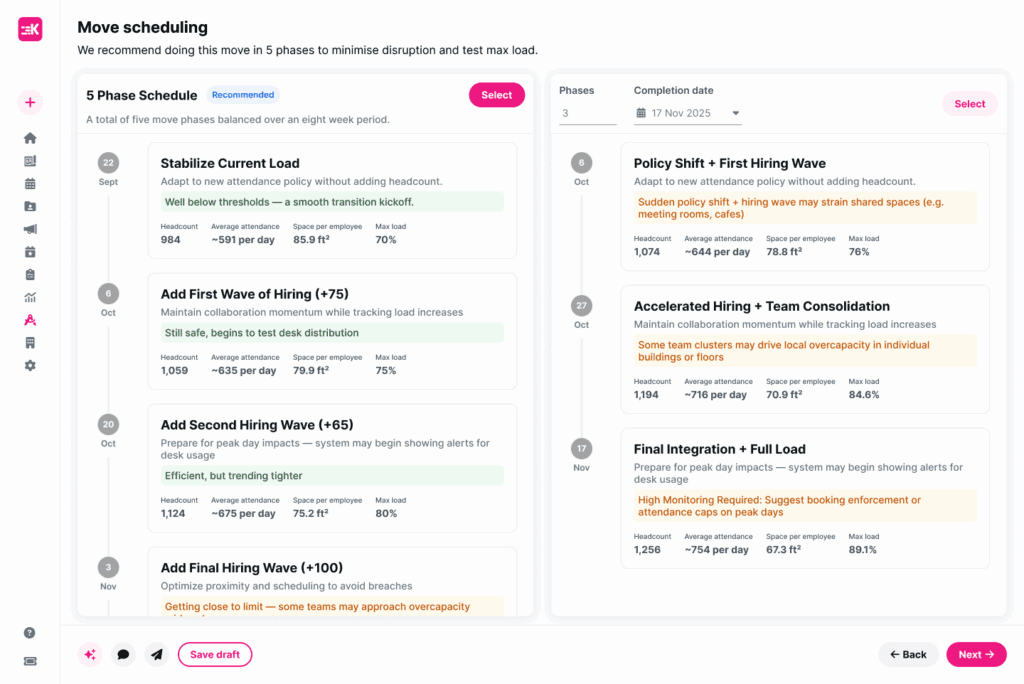
Kadence SpaceOps unifies every step of the move process in one platform, so organizations can plan, coordinate and execute relocations with precision. It connects moves to live occupancy and booking data and to digital floor plans, turning manual coordination into orchestrated change.
With SpaceOps Move Management, workplace teams can:
- Plan and track all employee moves or desk changes in one centralized view.
- Automatically allocate desks and resources using live occupancy and booking data.
- Identify dependencies and manage approvals to avoid bottlenecks.
- Keep employees informed through automated notifications and updates.
- Sync moves with digital floor plans for accurate, real-time visibility.
By bringing data and automation together, SpaceOps moves teams from manual coordination to orchestration. Teams stay productive, leaders keep oversight, and the workplace stays aligned with how the organization actually operates. Book a demo with our workplace operations experts to see it in action.
Frequently asked questions
What are moves, adds, and changes?
Moves, adds, and changes (MAC) are the routine adjustments that keep a workplace current: relocating employees and their equipment, provisioning new hires or resources, and modifying existing layouts or assignments. The term comes from IT and telecommunications but is now equally central to workplace operations.
Who is typically responsible for office move management?
It usually sits with workplace operations or facilities, working alongside IT, HR and finance. Larger relocations often add a dedicated project lead or an external move manager.
How long does it take to plan an office move?
A small internal move can be planned in days, while a full relocation typically takes weeks to a few months. Consultant-led relocations commonly run eight to twelve weeks.
What should you look for in an office move management solution?
Look for a single source of truth that all stakeholders can see, integration with occupancy and booking data, dependency and approval tracking, and the ability to re-plan when conditions change.
What data should inform an office move plan?
Use actual attendance and utilization patterns, current team allocations and headcount forecasts, along with the dependencies across IT, furniture and vendors. Behavioral demand matters more than nominal seat counts.