
Mcp
Bring workplace actions into your AI workflow.
Connect Kadence to the AI assistants your organization already uses. Book desks and rooms, invite visitors, and see who's in, just by asking.
Works with





For Employees
Just Ask Kadence. From Wherever You Already Work
Book spaces, invite visitors, and coordinate your team’s movements just by asking. No maps to scan, no new app to learn.
- Book a desk, room, or parking in a single sentence
- See who’s in before you commit
- Invite visitors and handle NDAs before they arrive
- No new app, no training, no rollout
Illustrative Claude chat: an employee asks for a desk near the design team on Tuesday and a room for four at 2 pm; Claude books both through Kadence.
For Workplace & Facilities Teams
Stop Pulling Reports. Just Ask
The answers you need come back the moment you ask. Every data point comes from your workplace data.
- Occupancy and attendance on demand
- Underused space surfaced without hunting
Illustrative ChatGPT chat: a workplace leader asks which floors are empty on Fridays and gets the answer from Kadence.
For Workplace Leaders
Model Your Move Before You Make It
A team lands Monday. Another grows 15%. Ask where they go before you move a desk.
- What desks should new joiners be assigned?
- What happens if teams grow, should we renew our lease based on headcount projections?
- One plan. Not a move sheet in one place and a stack in another.
Illustrative Gemini chat: a workplace leader asks where Sales could fit if the team grows by 12 people; Gemini answers from Kadence's floor setup.
The key difference · For IT & Security
Role-Based Access You Control
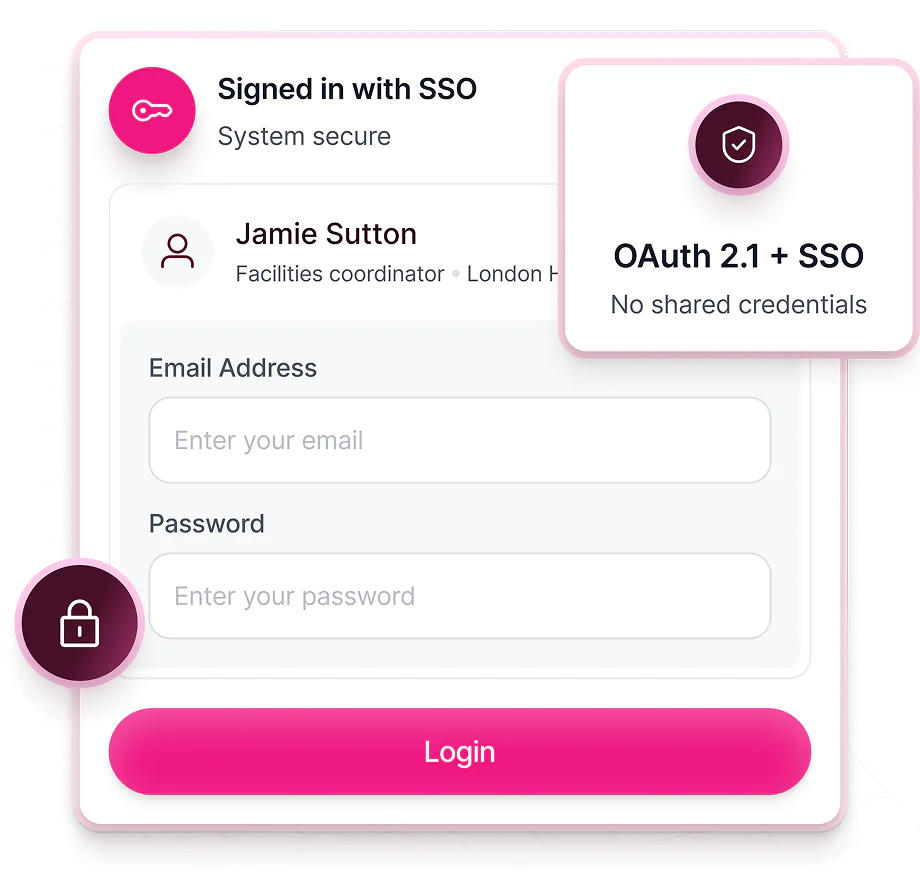
Your people get the same permissions they already have in Kadence. End users can't see insights and analytics, and can't change settings.
- OAuth 2.1 and SSO. No shared passwords.
- Access never exceeds a user’s permissions
Bring Kadence into the AI Platform Your People Already Work In
Set it up once, and it keeps working as you add new ones.
Book a desk from ChatGPT, Claude or Copilot
Kadence MCP gives AI assistants a set of workplace tools. People ask in plain language, and the assistant uses Kadence to do the job. Try prompts like these:
- “Book me a desk near the design team on Tuesday.”
- “Book a meeting room for six at 2 pm tomorrow.”
- “Book me a parking space for Thursday.”
- “Invite my guest Sam Patel to the London office on Friday at 10 am.”
- “Check me in to my desk.”
- “Which meeting rooms on floor 3 are free now?”
How the Kadence MCP Works
Connect your AI agent
Connect Kadence to Claude, Copilot, or any MCP-compatible agent. Sign-in uses your existing SSO, so there's nothing new to provision.
Ask in plain language
Your people ask for what they need in the agent they already use. Book a room, invite a guest, check who's in.
Kadence acts, within your rules
Requests run against workplace data, scoped to each user's permissions, with every answer citing its source.
FAQ
Frequently asked questions
Does Kadence MCP work alongside a legacy IWMS like Archibus or Eptura?
Yes. Kadence is a modern IWMS, and it can also work alongside a legacy IWMS. MCP lets your AI assistants book space, read occupancy using Kadence data while facilities systems of record (work orders, assets, leases, EH&S) stay where they are.
Is Kadence an IWMS?
Yes. Kadence is a modern IWMS: desk and room booking, visitor management, analytics and AI-powered scenario planning (SpaceOps) in one platform. Many organizations also run Kadence alongside an existing facilities system for maintenance, assets and lease admin.
How is Kadence MCP different from IWMS AI assistants?
Most IWMS AI tools are chat inside the vendor’s product, they answer questions about occupancy or maintenance. Kadence MCP connects the AI assistants your company already uses (Claude, Copilot) so people can take workplace and portfolio actions in those tools.
Can AI agents help with space planning and portfolio decisions?
Yes. Through Kadence MCP, leaders can ask about underused space in plain language, then act in Kadence SpaceOps instead of exporting IWMS reports into spreadsheets.
Kadence vs legacy IWMS software — where does MCP fit?
Workplace experience tools optimize booking and hybrid schedules. Legacy IWMS platforms run facilities operations. Kadence is a modern IWMS, and Kadence MCP is where those worlds meet action: your agents use live workplace data to book and coordinate without opening another app.
Can I book a desk from ChatGPT?
Yes, with Kadence MCP. Once your Kadence admin turns it on, you connect ChatGPT to Kadence and sign in with your own account. Then ask in plain language, such as “book me a desk near my team on Tuesday”, and ChatGPT books it through Kadence within your normal booking rules.
Can I book a desk with Claude?
Yes. Claude connects to the Kadence MCP server the same way. You can book desks, rooms and parking, invite visitors and check in by asking Claude, and every action uses your own Kadence permissions. Claude cannot change anything in Kadence that you could not change yourself.
Does Kadence work with Microsoft Copilot for room booking?
Yes. Microsoft Copilot can connect to Kadence MCP, so people can book meeting rooms and desks or invite visitors by asking Copilot. Microsoft 365 organizations can also use the Kadence app and Kadence AI inside Microsoft Teams, and the Kadence add-in for Outlook.
What is a workplace MCP server?
An MCP server is how a business system offers tools to AI assistants through the Model Context Protocol, an open standard. A workplace MCP server like Kadence's offers tools such as booking a desk, booking a room, inviting a visitor or checking in, so any compatible assistant can use them without a custom integration.
Read what MCP is.
Is Kadence MCP secure?
Each person signs in with their own account using OAuth 2.1 and your SSO, so there are no shared credentials. The assistant acts with that person's existing Kadence permissions and never beyond them. End users can't see insights and analytics, and can't change settings. An admin decides whether MCP is turned on.
See security and trust.
Which AI assistants work with Kadence MCP?
Kadence MCP works with Claude, ChatGPT and Microsoft Copilot, and with other AI assistants that can connect to remote MCP servers. It is in early access and included in WorkOps Team, WorkOps Pro and SpaceOps. An admin turns it on for your organization.
Explore more
Next step
Bring Kadence into Your Team’s AI Workflow
Book a demo to see the Kadence MCP connected to your own workplace data, or get a quote tailored to your portfolio.