
Room booking
Seamless room booking and management.
Kadence room booking, part of WorkOps, connects calendar bookings, check-ins, and automatic room release so workplace leaders can see how meeting space is used.
Illustrative room booking with Kadence AI: an employee asks for a room for six at 11:00 with a screen, Kadence books Room 4 on Level 2 of London Central HQ from 11:00 to 11:30 and adds it to their calendar, and the room shows as booked with auto-release after 15 minutes without check-in.


Meeting room booking system
What is a meeting room booking system?
A meeting room booking system shows which rooms are free and lets people book them from their calendar, a phone or a screen by the door. Kadence syncs both ways with Outlook and Google Calendar, checks meetings in, and releases rooms nobody uses, so your room data shows real demand.
How it works
1. Find the right room
Kadence AI surfaces the best available room inside Outlook, Teams, or the Kadence app.
2. Book in one click
The room goes into the meeting invite and syncs both ways with Outlook and Google Calendar.
3. Check in at the door
Room Displays and mobile check-in on your phone confirm the meeting is live.
4. No-shows free the room
No-shows trigger automatic room release, and every booking and check-in feeds Kadence analytics.

Room booking
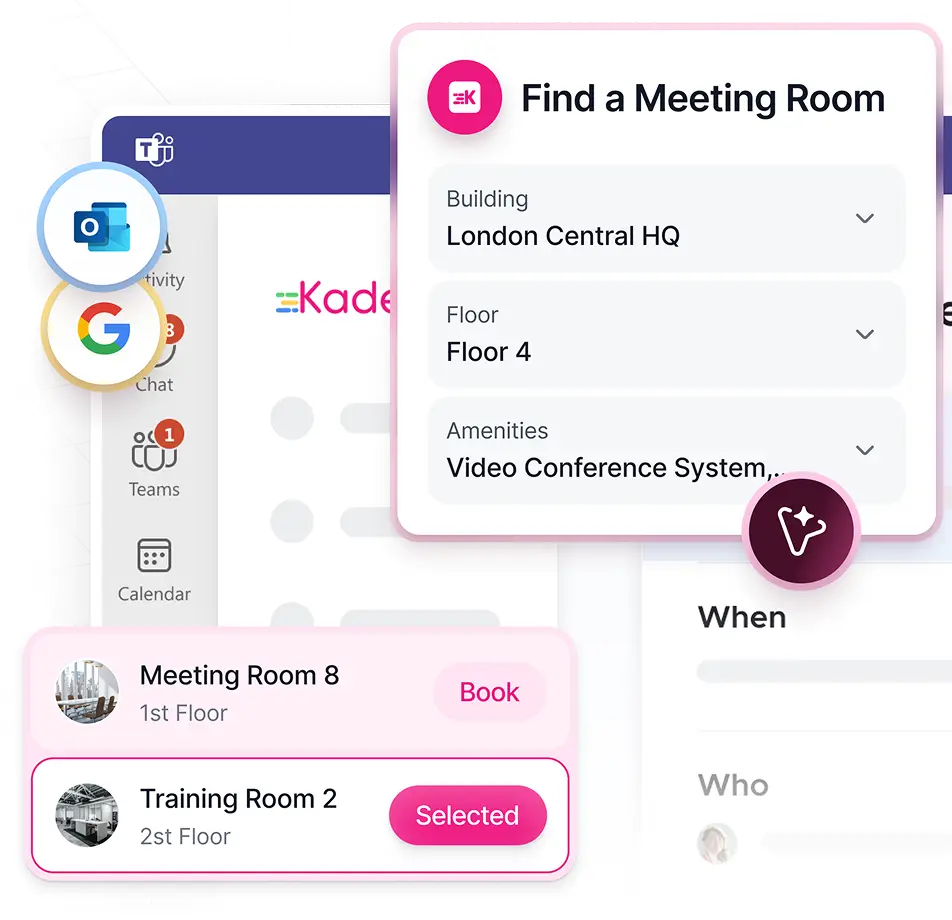
Sync Your Office to Your Calendar
Let employees book a room without learning another tool. Kadence works inside Outlook, Teams, and Google Workspace and recommends rooms for the meeting they need.
- Native Outlook & Google Workspace integration
- AI room recommendations for every meeting
- Ad-hoc booking from mobile, browser, or room display


Room booking
Turn Idle Square Footage into Actionable Data
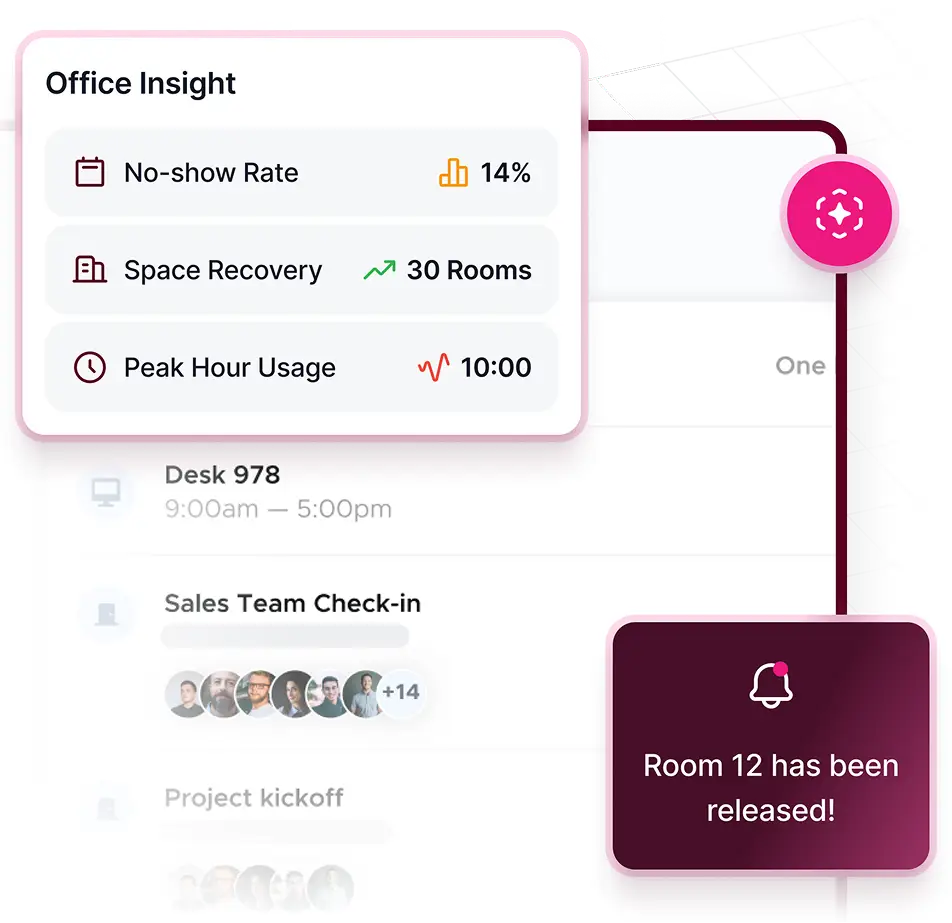
Stop empty meetings from holding up available rooms. Detect no-shows and release the space, with check-in rules your workplace team controls.
- Real-time no-show detection and automated room release
- Check-in enforcement via display, mobile, or sensor
- Configurable grace windows by room type, location, or team
Room booking
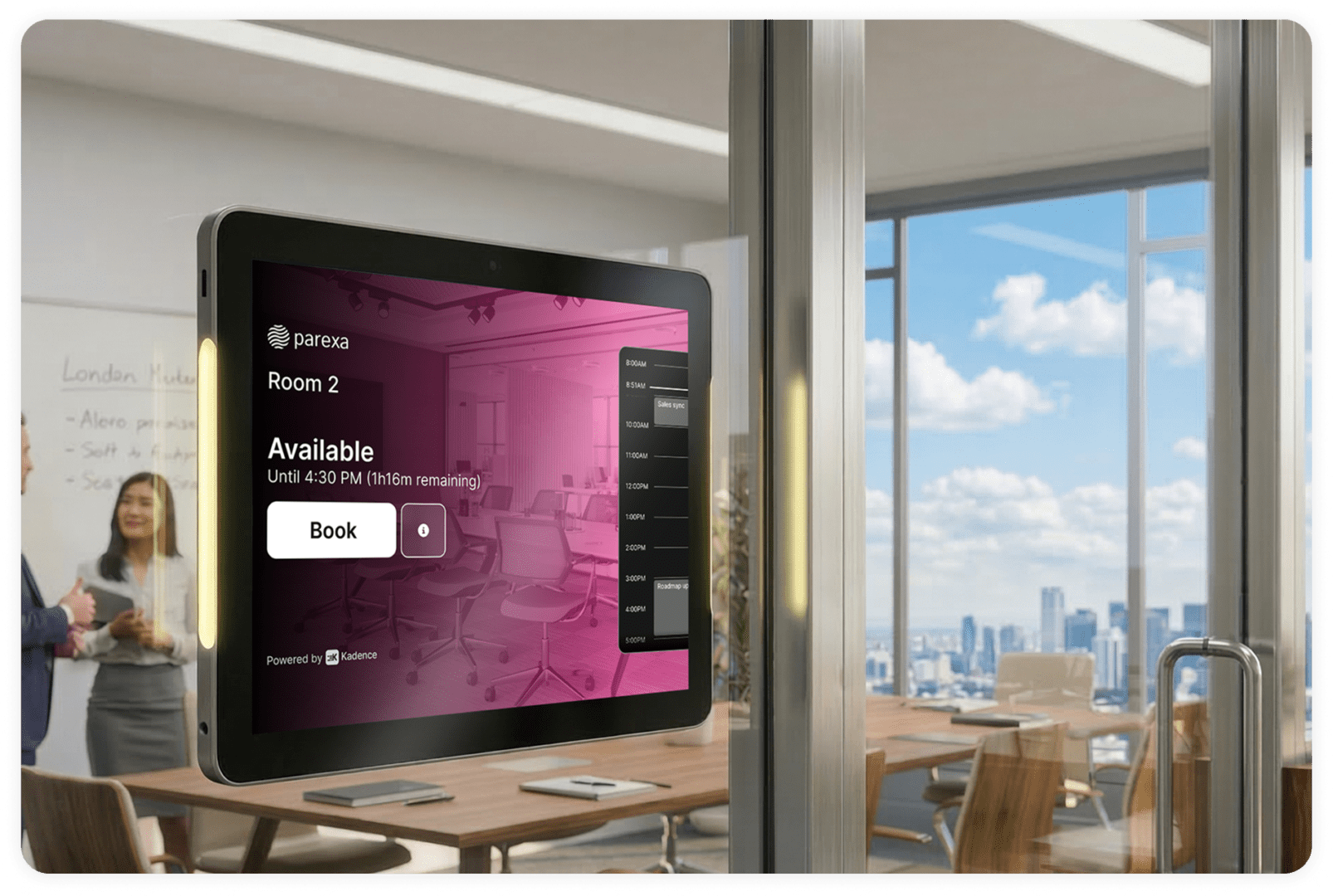
Room Displays That Run on Hardware You Already Own
Use the tablets your IT team already manages, or Neat devices. Kadence room displays support check-in and room release while feeding activity into workplace analytics.
- Runs on any iOS or Android tablet, or on Neat devices
- AI-powered check-in and automatic room release
- Feeds live data directly into Kadence analytics
Room booking
Turn Room Data into Real Estate Decisions
Bring evidence to decisions about the space you keep. Connect meeting room use with desk and occupancy data to support space planning and lease decisions.
- Portfolio-wide utilization dashboards across all locations
- Room data connected to desk and occupancy intelligence
- Export-ready reporting for space planning and lease decisions
Kadence comes with
- Outlook & Google Workspace bookingTwo-way calendar sync, so rooms book from the calendar people already use.
- AI room recommendationsKadence AI suggests the right room for the meeting.
- Ad-hoc mobile and display bookingBook on the spot from a phone or the room display.
- Automated no-show releaseRooms nobody checks into are released for others.
- Room displays on your own hardwareAny iOS or Android tablet, or Neat devices. No proprietary hardware.
- Recurring room bookingsBook the same room on a repeating schedule.
- Catering & amenities requestsOrder catering with the booking and report room issues.
- Global booking policy governanceSet policies once and apply location-level overrides.
Meeting room scheduling
Meeting room scheduling in Outlook, Teams and Google Calendar
Most meetings start in a calendar. Kadence puts room booking there, so people do not learn another tool and every booking stays in sync. Microsoft 365 organizations also get the Outlook add-in and Kadence in Teams.
- Outlook add-inFind and book rooms without leaving Outlook.
- Two-way calendar syncBook in Kadence, Outlook or Google Calendar. Changes sync both ways.
- Kadence AI in Teams and SlackAsk Kadence to find and book a room in a Microsoft Teams or Slack chat.
- Recurring and editable bookingsHold the same room on a repeating schedule, and change a booking in place without canceling it.
- Book by the minuteBook a room for exactly the time you need, or grab one on the spot from a phone or the room display.
Occupancy you can trust
Room check-in and auto-release keep room data honest
Ghost meetings make rooms look full when they are empty. Room displays and mobile check-in confirm each meeting. When nobody checks in, auto-release frees the room and Kadence records the no-show, so meeting room utilization reports show real use.
- Check in at the doorA room display shows live availability and lets people check in with one tap.
- Check in on mobilePeople can check in early from the Kadence app on their way to the room.
- No-shows releasedRooms nobody checks into go back to the pool for others to book.
- One view of every roomBookings, check-ins and no-shows feed Workplace Insights alongside desk and occupancy data.
Built for IT and workplace teams
Roll out room booking across every site
Workplace teams set the room rules. IT connects calendars, identity and devices. Both can go live building by building.
- 01
Connect calendars
Link Microsoft 365 or Google Workspace. Rooms sync both ways with Outlook or Google Calendar.
- 02
Load rooms and floors
Add rooms, floors and other spaces in bulk from a spreadsheet. Building admins manage only their own offices.
- 03
Mount the displays
Run room displays on iPads, Android tablets or Neat devices your IT team already manages. Room displays are part of WorkOps Pro.
- 04
Sign in once
SSO and SCIM with Okta, Microsoft Entra ID, Google and others keep people and permissions in sync.
FAQ
Frequently asked questions
What is conference room booking software?
Conference room booking software lets employees find, book, and manage meeting rooms — while giving workplace leaders visibility and control over how spaces are actually used.
How does Kadence integrate with Microsoft and Google?
Kadence provides two-way sync with Microsoft 365 and Google Workspace, so employees book directly from their existing calendars without switching tools.
How does Kadence prevent ghost meetings?
Kadence detects no-shows in real time and automatically releases rooms based on configurable check-in policies — enforceable via display, mobile, or sensor.
Do I need new hardware for room displays?
No. Kadence Room Displays run on standard iOS and Android tablets. No proprietary hardware or new vendor required.
Can we manage booking policies across multiple offices?
Yes. Set global policies once and apply location-level overrides — giving central IT and Facilities full governance with local flexibility.
How does room data connect to real estate decisions?
Kadence captures actual utilization behavior and surfaces it in portfolio-level analytics, giving CRE and Facilities leaders evidence for lease decisions and space planning.
Is a meeting room booking system the same as conference room booking software?
Yes. Both terms describe the same tool, and Kadence covers both. Whatever you call it, a room booking system should show live availability, sync with Outlook or Google Calendar, check meetings in and release rooms when nobody shows up. It should also report how rooms are used in every office.
Can I book a meeting room from Outlook?
Yes. The Kadence Outlook add-in finds and books rooms from inside Outlook, and rooms booked in Outlook, Google Calendar or Kadence sync both ways. A recurring meeting can hold the same room on a repeating schedule, and you can edit a room booking in place without canceling it.
What should meeting room scheduling software include?
Look for two-way calendar sync, booking from Teams or Slack, room displays at the door, check-in with automatic release of no-shows, recurring and editable bookings, catering and issue reporting, and reports by building. For an enterprise rollout, add SSO and SCIM, building-level admins and data hosting in your region.
How do room displays release no-show meetings?
The display by the door shows live availability and lets people check in with one tap. If nobody checks in, Kadence releases the room automatically so others can book it. The display can also book a free room on the spot and raise a ticket when something in the room needs fixing.
Explore more
Next step
Transform How Your Organization Uses Meeting Space
Join workplace leaders running smarter, more efficient room operations with AI-powered booking, real-time displays, and actionable utilization data.