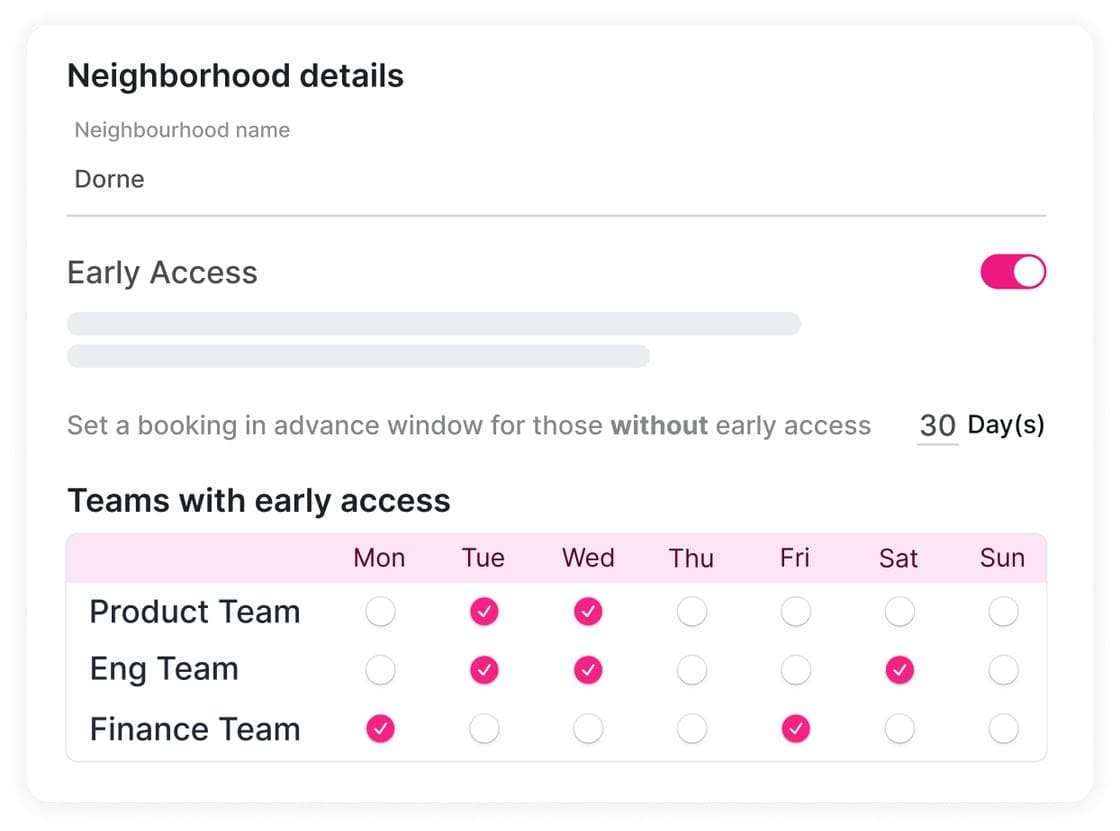
Office neighborhoods are dedicated areas of an office where people who work together, or who need the same things, sit together. They improve workplace experience because they make collaboration easy when people are only in the office some of the time. Each neighborhood gives a team or community the colleagues, equipment and space it needs, while desk booking keeps the arrangement flexible.
“Great things in business are never done by one person. They’re done by a team of people.” Steve Jobs said that in 2008. The pandemic and lockdowns then seriously curtailed teamwork. Video tools like Zoom, Microsoft Teams and Google Meet helped enormously with remote work, but they cannot match a face-to-face project kick-off or a team working side by side to deliver a big win.
A hybrid working model, where employees divide their time between the office and home, gives people the flexibility of remote work without losing real-life connection. But fewer hours in the office mean fewer chance encounters and informal chats that build camaraderie. The office has to become a more dynamic, flexible place that makes collaboration easy and fits different teams’ rhythms. That is where office neighborhoods come in.
What are office neighborhoods?
An office neighborhood is a dedicated area of the office for a group, or community, of employees who need to work with each other or who share similar needs. Each neighborhood typically holds 30 to 60 people. At first glance it looks like an open-plan office, but seating is organized around who needs to be near whom and what they need to do their work.
Seating a community together makes sure people have access to the colleagues and amenities they need to get the most from their time in the office. Neighborhoods can be based on:
- Functions: people in the same department sit together, such as marketing or sales.
- Projects: employees from different departments come together to work on a specific project.
- Activities: if certain work needs certain conditions, neighborhoods can be set up for activity-based working, such as quiet work, collaboration or technical work.
- Amenities: a community that needs particular equipment or facilities, such as breakout rooms, printers or double monitors, sits in a neighborhood that has them.
For how neighborhoods compare with other flexible layouts, see the guide to flexible office models. For layout ideas, see how to design office neighborhood sections.
How does neighborhood seating work with hot desking or desk hoteling?
Neighborhood seating is usually organized in zones that use either hot desking or desk hoteling. With hot desking, people pick any free desk on a first-come, first-served basis. With desk hoteling, people book a desk in advance and check in when they arrive. Hoteling adds predictability, because people know where they will sit and with whom.
Hot desking means employees have no permanent desk and choose from a pool of available desks each time they come in. It is simple, and you can read more about the future of hot desking.
Desk hoteling goes a step further. Employees book a desk ahead and check in on arrival. Desks can be booked by the hour, day or week. A team can book specific desks at the same time each week, or for the length of a project. Employees can hold a regular, long-standing reservation and know who they will sit with. Office managers get full control over how the space is used, plus a wealth of desk usage data. A desk booking system is what makes hoteling practical at scale.
What are the benefits of office neighborhoods?
Done well, office neighborhoods support collaboration, productivity, efficient use of space, flexibility and employee engagement. They go beyond the open-plan office by grouping people around real working relationships and needs. For enterprise workplace teams, they also produce clearer data on how each area is used, which supports decisions on layout, capacity and real estate cost.
1. More collaboration
Sitting together deepens relationships and encourages communication, so collaboration happens naturally in a well-designed community. Adding desk hoteling spreads teamwork across the whole community: employees can sit with their own team whenever they come in or for the length of a project, or mix it up and work alongside people in other neighborhoods.
2. Higher productivity
Neighborhoods make sure employees have the amenities and equipment they need to do their best work. Each team gets a space tailored to its needs, so people are not running around the office looking for the right equipment. Fewer needless interruptions mean more time focused on the work itself.
3. More efficient space management
Hot desking and desk hoteling need fewer desks, because employees do not each need a permanent workstation. That means real estate costs can be trimmed or space reconfigured for other purposes.
Managing neighborhoods with desk booking software gives you a wealth of usage data. You can see who uses each desk, when and for how long, in real time, and where people and teams have made recurring bookings over the coming months. Combining actual occupancy data with future bookings lets you forecast demand, plan seating, and even set up an overspill neighborhood for days when the office is busier than usual.
4. Flexibility that puts people first
If the pandemic taught workplaces anything, it was the importance of adaptability. Neighborhoods are fluid. You can move modular furniture, try new layouts or add meeting spaces without disrupting the rest of the office. A creative team might get a space designed for creative work, with an open area for relaxation or desks facing each other for easier communication. Usage data then shows what works and what does not, so you can improve or reconfigure spaces over time.
5. A happier, more engaged team
Engaged employees tend to be more productive and loyal, and their attitude spreads across the company. According to research by Steelcase, the more people like the environment they work in, the more engaged they tend to be. Neighborhoods let you shape spaces around what people need, which improves employee experience.
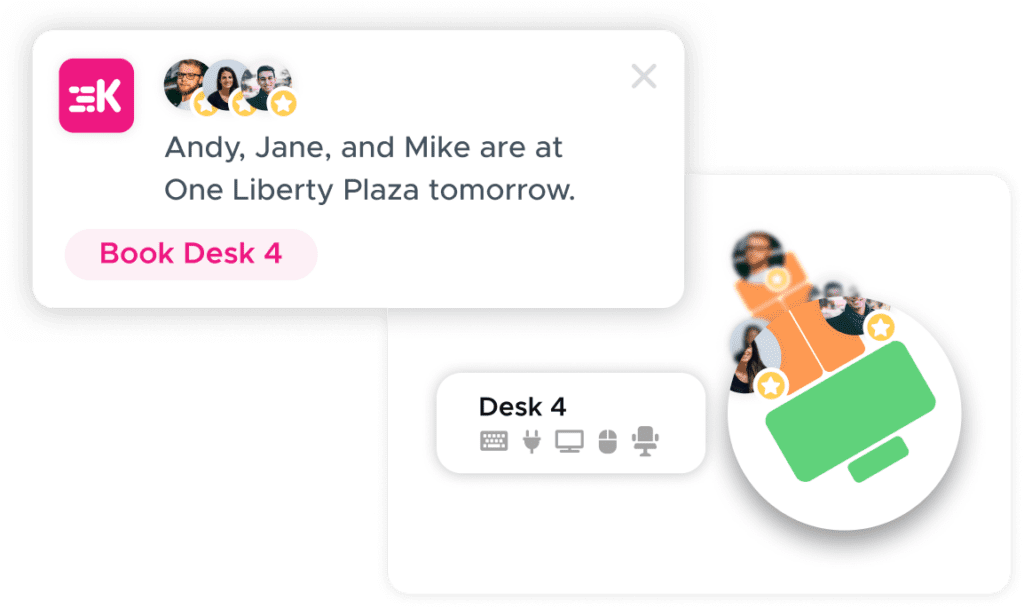
Desk booking software should do the heavy lifting by making it easy to find and book the right space. For example, Kadence could suggest the best available spaces near teammates, with the right equipment.
How do you set up an office neighborhood?
Start by finding out what people need, because needs after the pandemic may look very different from before. Survey employees about the amenities that would make them want to come in, who they need to sit near, and what facilities and equipment they rely on. Then study any existing desk usage data for patterns before deciding on neighborhood types, sizes and layout.
A simple survey is an easy way to gather opinion across the organization. Ask:
- What would make you look forward to coming into the office?
- Who do you need to sit near?
- What facilities and equipment do you rely on?
If you already use hot desking or desk hoteling, go through your desk usage data carefully. Are some areas more popular at certain times of day? Do particular teams favor one part of the office? Together, survey results and usage data show which types of neighborhood will work best, how large and how laid out each should be, and which relaxation and social spaces to include.
How do you manage office neighborhoods safely and efficiently?
Office neighborhoods are hard to run without a space management system. Shared desks and changing layouts can make people anxious about health and safety. The right technology lets employees reserve a desk in advance and check in on arrival, and gives admins control over who sits where, capacity alerts, and usage data to plan spaces around how people actually work.
With a space management system, you can assign people to a neighborhood, edit seating plans to visualize capacity, and set alerts when specific areas are full. Combined with usage data, this helps you plan spaces and place amenities where people need them. With the right tools, neighborhoods can be even safer than traditional office setups.
How did Kadence support office neighborhoods in 2024?
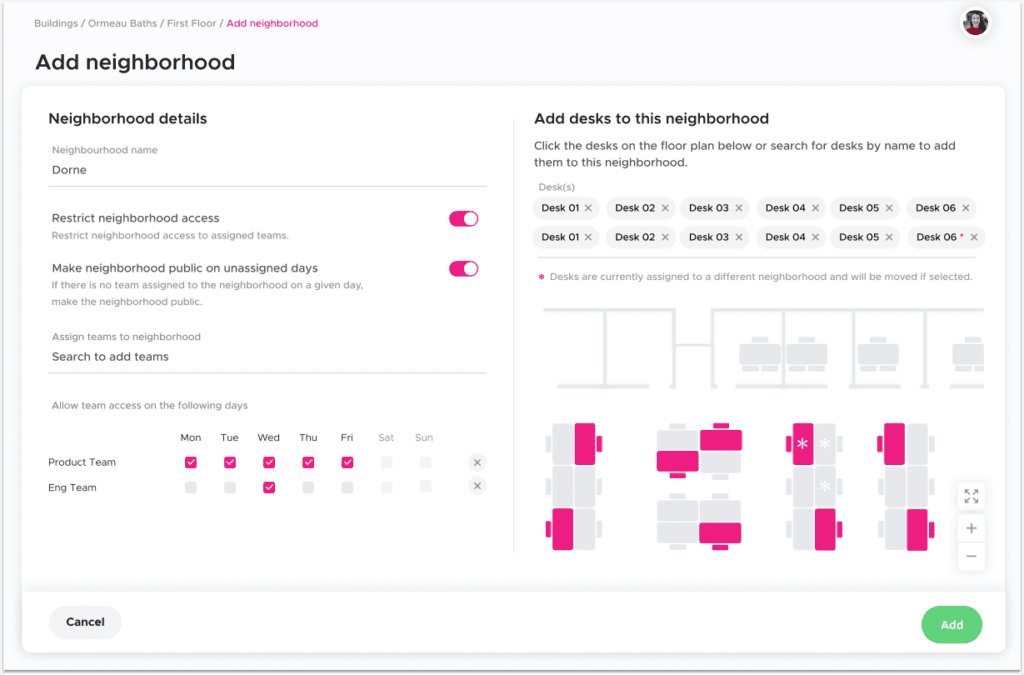
In November 2024, Kadence’s Office Neighborhoods feature let admins assign teams to specific areas on chosen days of the week, see current and future space use on an interactive floor plan, give permanent desks to key team members, and monitor usage and availability across neighborhoods. The aim was higher team productivity alongside lower real estate costs.
Assigning teams to areas. Admins could assign teams to specific neighborhoods on any given day of the week, to make the most of the available space. Giving permanent desks to key team members balanced flexibility with stability.
Visualizing space use. The interactive floor plan showed current and future space use, so decisions could rest on data rather than guesswork.
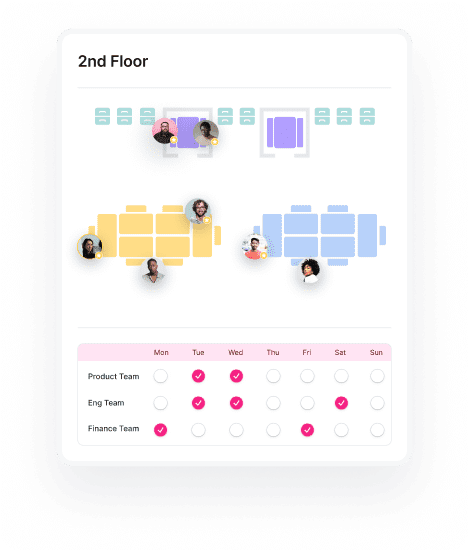
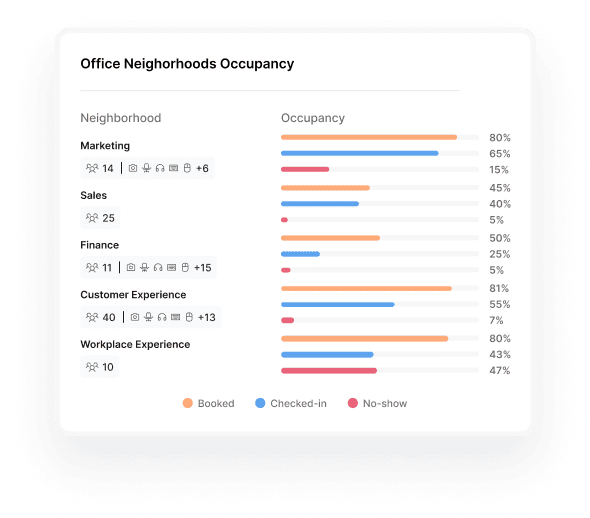
Monitoring usage across neighborhoods. Admins could see how each neighborhood was used, from meeting rooms and collaborative areas to quiet zones and shared resources. Monitoring usage patterns and availability helped teams find and reserve the spaces they needed within their own areas, and helped admins share out space more efficiently.
Why do office neighborhoods matter for hybrid teamwork?
As Steve Jobs suggested, a business without teamwork struggles to achieve great things. The biggest benefit of office neighborhoods is that they help reinvigorate and nurture collaboration across the organization. Desk scheduling software supports them by helping employees feel safe, making office days easier, and giving workplace teams the tools to manage seating and layouts.
For business leaders balancing productivity and community-building goals, office neighborhoods are a practical way to support the health of a hybrid community. The more organizations use the flexibility of hybrid work well, the stronger, happier and more productive their teams can be. For more from Kadence’s CEO and co-founder, see other articles by Dan Bladen.
Frequently asked questions
How many people should be in an office neighborhood?
A neighborhood typically holds 30 to 60 people. The right size depends on the community it serves, whether that is a department, a project team, a type of activity or a group that needs particular amenities.
Is an office neighborhood the same as an open-plan office?
No. It can look like open plan, but seating is organized so that people who work together or share needs sit together in a dedicated area, with the amenities they need close by.
Do office neighborhoods need hot desking or desk hoteling?
They usually use one or the other. Hot desking lets people take any free desk on arrival. Desk hoteling lets people book in advance, by the hour, day or week, and gives managers more control and more usage data.
How do you decide what kind of neighborhoods to create?
Survey employees about who they need to sit near and what equipment and facilities they rely on, then review existing desk usage data for popular areas and team patterns. Together these show the types, sizes and layouts that will work best.