
Office hoteling
Office hoteling software for shared desks and offices.
Office hoteling software lets people reserve a desk or private office before they arrive, check in when they get there and lose the space if they do not. Kadence runs hoteling on your floor plan, with booking windows, priority access, credits and auto-release set by your workplace team.
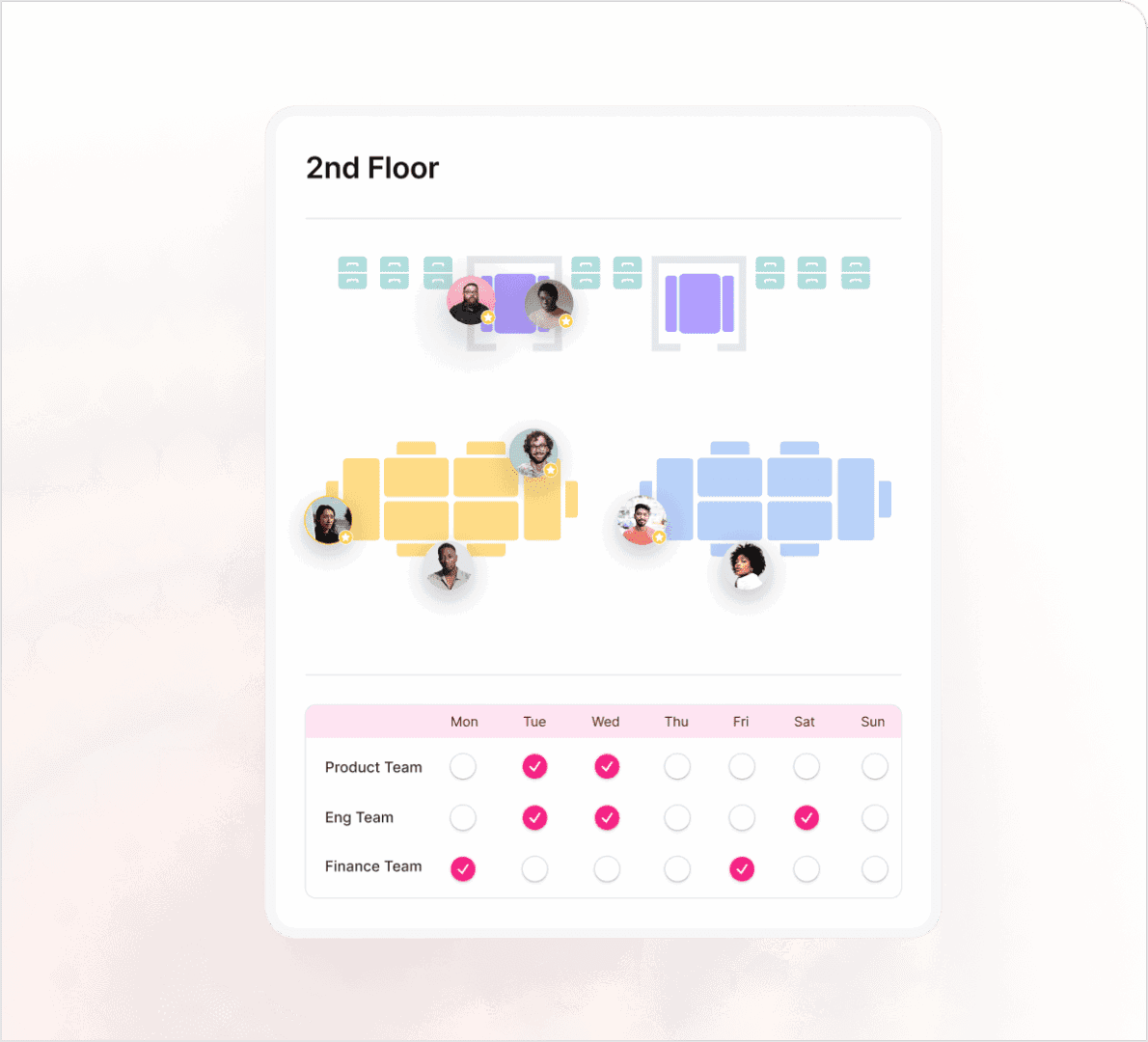
Illustrative desk booking at Liberty Plaza: two six-desk neighborhoods, four colleagues settling into Product, and a weekly schedule with Product in Tuesday and Wednesday, Engineering Tuesday, Wednesday and Friday, and Finance Monday and Friday; team day is Tuesday, with nine of twelve in.


| Team schedule | Mon | Tue | Wed | Thu | Fri |
|---|---|---|---|---|---|
| Product team | No team day | In office | In office | No team day | No team day |
| Eng team | No team day | In office | In office | No team day | In office |
| Finance team | In office | No team day | No team day | No team day | In office |
Hoteling vs hot desking
Three ways to seat people
Most offices mix all three. Kadence runs them side by side on one floor plan, so each team gets the model that suits it.
- HotelingPeople reserve a desk or office ahead, check in on arrival, and unused bookings are released.
- Hot deskingPeople take any free desk on the day, first come, first served, with no reservation.
- Assigned seatingEach person has a permanent desk or office, used or not.
Check-in and auto-release
Reserved space gets used, or goes back.
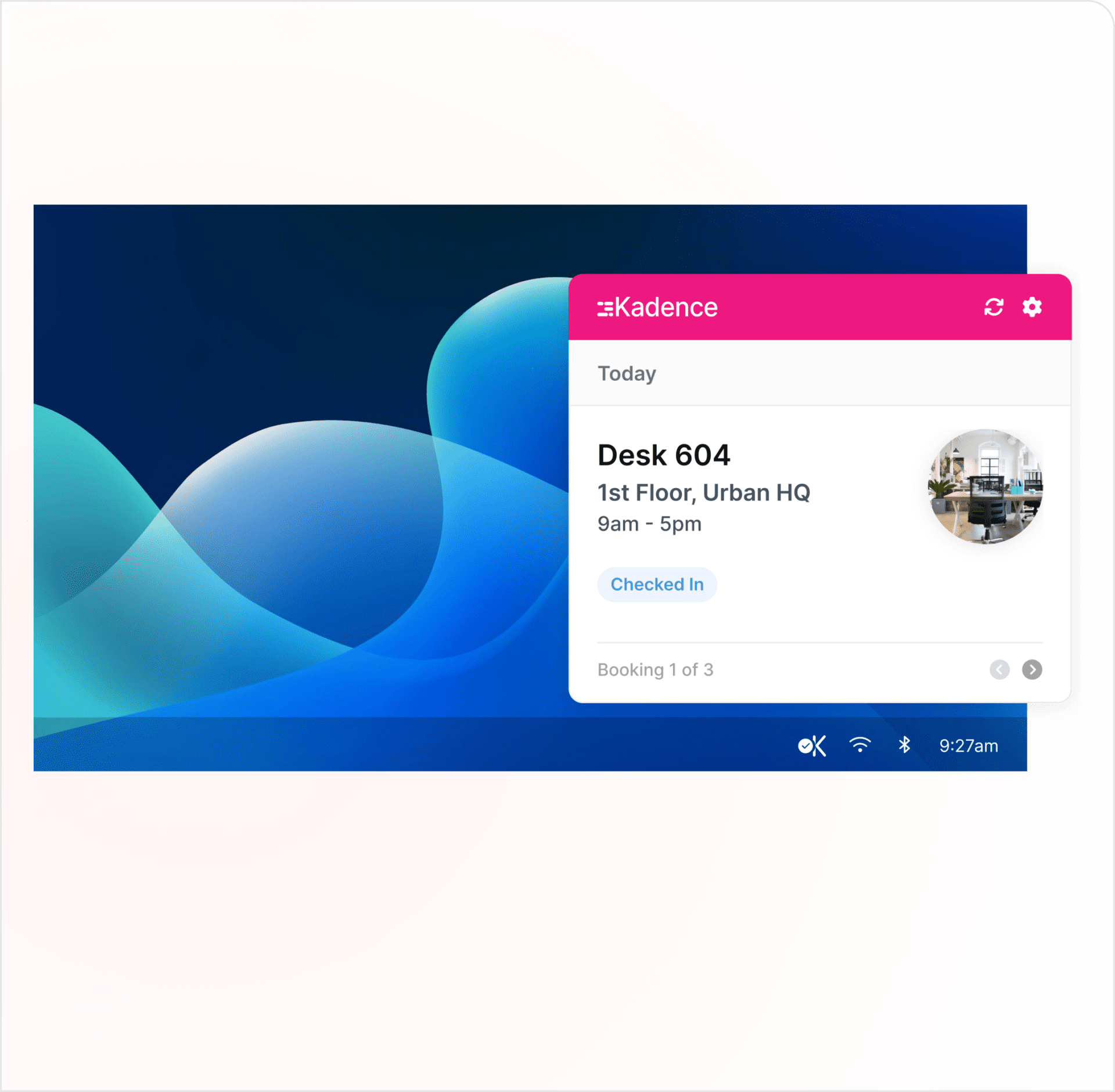
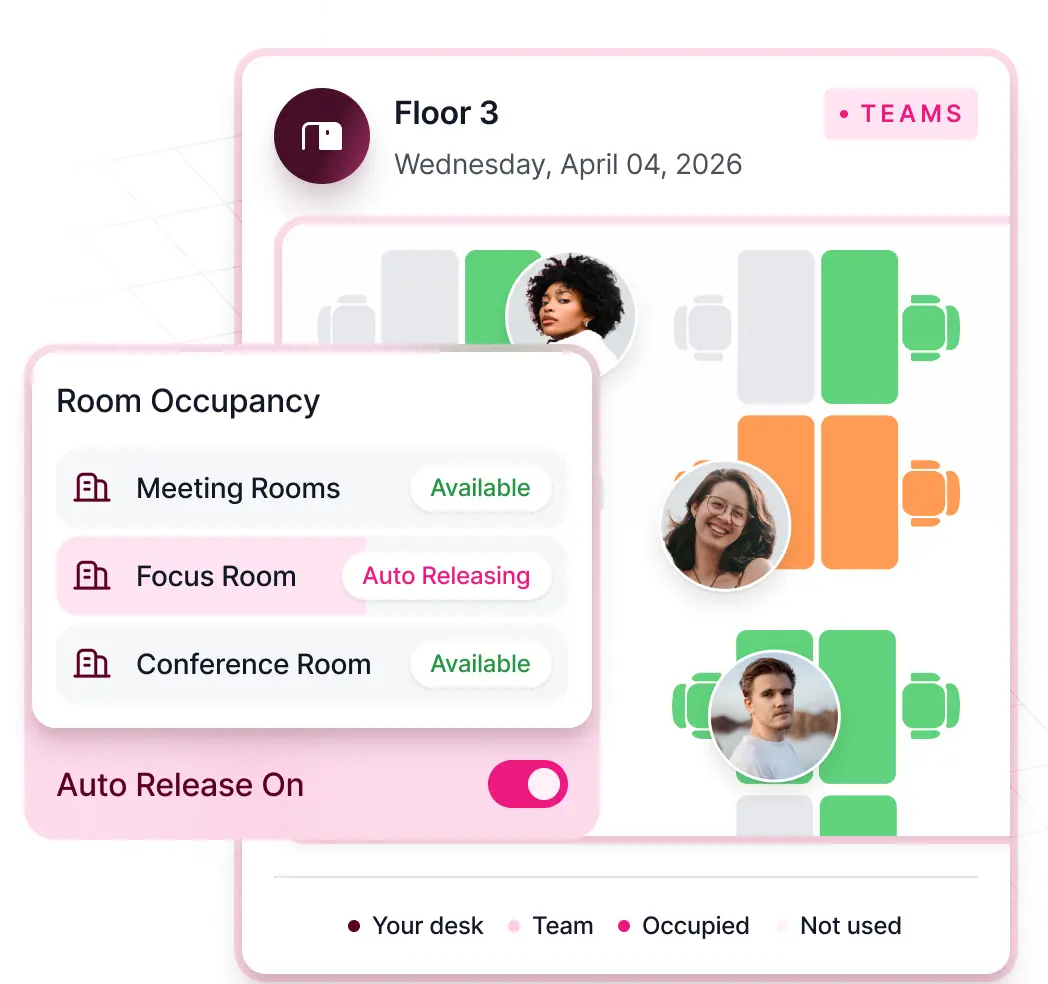
A reservation is only useful if the person comes in. Kadence checks people in and releases bookings nobody claims, so the next person can use the space.
- Check in from the app, the Kadence Agent on the office network, a kiosk, a room display, badge data or the API
- Unclaimed bookings released automatically
- Automatic Bookings for people who arrive without one
Assigned and bookable
Fixed seats and hoteling on one floor plan.
Give some people permanent desks or offices and make the rest reservable. Neighborhoods keep each team's bookable desks together.
- Team neighborhoods and assigned desks
- Neighborhood Scheduler for shared or rotating floors
- Preferred desks so people find their usual spot fast
 Kadence
More than desks
Reserve offices, rooms and more.
Hoteling covers every shared space. Make private offices, pods, lockers and parking bookable alongside desks and meeting rooms.
- Private offices, pods, lockers and parking
- A link or QR code that opens a specific space to book
- Meeting rooms with two-way Outlook and Google Calendar sync
Booking rules
Fair access, set by your workplace team
Hoteling works when everyone trusts the rules. Set them once, and Kadence applies them to every booking.
Booking windows
Set how far ahead people can book, and the maximum and default length of a booking.
Priority access
Give selected groups first access to spaces before they open to everyone.
Booking credits
Control how much space each person or team can book.
Recurring and multi-day bookings
Book the same desk or office on repeat, or across several days at once, and cap how far a series can run.
Booking on behalf of others
The Booking Scheduler role lets assistants and coordinators book for the people they support.
Closures
Close a building for holidays or events. WorkOps Pro adds floor, neighborhood and space closures.
Professional services
Hoteling for law firms and financial services
Firms with partners, assistants, client meetings and attendance policies need more than a desk map. These Kadence settings fit how they work.
Law firms
- Keep assigned offices where they are needed and make the rest bookable.
- Assistants book desks, offices and rooms for the lawyers they support.
- Lawyers visiting from another office book a desk or office there on the same app.
- Hold rooms for client meetings, and release the ones nobody checks in to.
Financial services
- Report on attendance policy from presence data, not bookings alone.
- Give priority access to teams that must be in on set days.
- Booking exports show who created each booking and who checked in.
- Keep workplace data in the US or EU region.
When teams adopt hoteling
The moments that make hoteling worth it
Fewer desks than people
After a consolidation, hoteling shares the desks you keep. Auto-release and check-in keep reserved desks in use.
A lease decision is coming
Hoteling records who reserved and who came in, by floor and by day. That shows how many desks you need before you renew.
Your booking system is up for renewal
Load spaces, neighborhoods and assignments by bulk CSV upload, and people through SSO and SCIM directory sync.
Customer story · Manufacturing
Axalta moved into an office half the size and made all of it bookable.
½ the previous office footprint
Read the Axalta story“Kadence can roll with the punches and come up with the smart solutions we need to make hybrid work for everyone.”
Rica Lade, Executive Coordinator, Axalta
FAQ
Frequently asked questions
What is office hoteling software?
Office hoteling software lets employees reserve a desk, private office or other workspace before they come in, check in when they arrive and release it if they do not. Workplace teams use it to share fewer desks among more people, set fair booking rules and see how reserved space is actually used.
What is the difference between hoteling and hot desking?
Both share desks instead of giving each person one. Hot desking and hoteling differ in timing: hot desking is first come, first served on the day, while hoteling means reserving ahead and checking in on arrival. Kadence supports both on the same floor plan, alongside assigned desks.
How does a hoteling reservation system work?
An employee picks a desk or office on the floor plan, from the app, Teams or Slack, for one day, several days or on repeat. Booking rules decide how far ahead they can book and who gets priority. On the day, they check in. If they do not, the booking is released for someone else.
Can employees reserve private offices as well as desks?
Yes. In Kadence, private offices, pods, lockers and parking are bookable spaces, as well as desks and meeting rooms. Employees reserve them on the same floor plan, for a day, several days or on repeat, and a link or QR code can open a specific space for booking.
How does hoteling software prevent no-shows?
It asks people to confirm they came in. Kadence takes check-ins from the app, the Kadence Agent on the office network, kiosks, room displays, badge data or the API. Unchecked bookings are auto-released, and Automatic Bookings records people who arrive without one, so occupancy data stays accurate.
What should law firms and financial services firms look for in hoteling software?
Look for a mix of assigned and bookable offices on one floor plan, booking on behalf of others for assistants, priority access for teams that must be in, presence-based attendance reporting, exports that show who booked and who checked in, and a choice of data region. Kadence covers each of these.
Explore more
In the glossary
Products, templates and stories
Next step
See how leaders run the modern workplace.
Thirty minutes with a workplace strategist. Bring a floor you are unsure about.