To choose the right workplace management software, start with the outcomes your organization needs, then judge each platform on how well it supports them, how easily it integrates with the systems you already run, and whether it can scale with your headcount, locations and hybrid policies. A long feature list is not the test. Actionable data, adoption and fit are.
The decision deserves that rigor because it is not simply a software purchase. It is an operational commitment that affects how an organization allocates space, coordinates people and manages real estate costs for years. The right system enables better coordination, more accurate forecasting and more confident decisions about space. For a definition of the category first, read what a workplace management system is.
Why does choosing the right workplace management software matter?
Choosing well matters because the decision has real financial and operational consequences. Real estate is typically one of the largest cost lines in an enterprise budget. The right system provides the visibility to justify real estate investment and respond to workforce change, while the wrong one compounds cost in wasted space, poor adoption and unreliable data.
Per-employee office costs can vary dramatically depending on how space is managed. Organizations with poor visibility into utilization consistently spend more than those making data-led decisions.
Hybrid policies add pressure. Attendance is harder to predict, collaboration patterns have shifted, and at most organizations the gap between planned and actual space use has widened. A workplace management solution that cannot account for that complexity becomes a liability rather than an asset.
The right system gives leaders what they need to build a workplace strategy that holds up over time. Getting it wrong is expensive, and the cost grows quickly.
What are the common mistakes when selecting workplace management software?
The most common mistakes are evaluating features instead of outcomes, underestimating implementation complexity, and letting IT, workplace and finance teams pursue different goals. Each is predictable, so each can be planned for. Knowing them in advance helps structure a better evaluation and avoids costly course corrections after launch.
Evaluating features rather than outcomes
It is easy to be drawn to a long feature list without checking whether those features solve the organization’s specific problems. A platform that looks comprehensive in a demo may not map well to how the business actually operates day to day.
Underestimating implementation
Workplace management platforms typically need to integrate with existing HR systems, calendars and access control infrastructure. Organizations that do not plan for this often face delays and resistance after launch. Adoption and alignment problems that surface after launch are far more expensive to fix than those found during evaluation.
Stakeholder misalignment
Misalignment between stakeholders, particularly IT, workplace and finance teams, can derail a selection before it reaches a decision. Agree on the outcomes and the owners of each requirement before vendors are invited in.
Which features matter most in workplace management software?
The features that matter most are the ones that directly support the decisions the organization needs to make. Effective buyers shift their focus from what a platform includes to what it enables. In practice, four capabilities carry most of the weight: desk booking, room booking, visitor management, and analytics that turn usage into actionable data.
Desk booking and space reservation
The core requirement is flexibility combined with ease of use. A desk booking system that employees find difficult will not be adopted, and low adoption undermines the data quality the organization relies on for space decisions.
Good desk booking software gives real-time visibility into desk availability and supports different booking models, including hot desking and assigned spaces. Hot desking is a model in which employees use any available desk rather than an assigned one. The system should also capture utilization data that informs longer-term decisions about how desks are configured and allocated across the portfolio.
Meeting room and conference space management
Meeting room management is a significant operational challenge in most hybrid environments. Look for a system that prevents double booking, integrates with the calendar tools employees already use, and shows how rooms are actually used.
Rooms that are booked but consistently empty are a common source of waste that goes unaddressed when visibility is limited. Room booking software should surface this clearly, so facilities teams can reconfigure or repurpose space that is not earning its footprint. For organizations with multiple locations, managing room availability across sites from one interface is a practical necessity.
Visitor management and workplace access
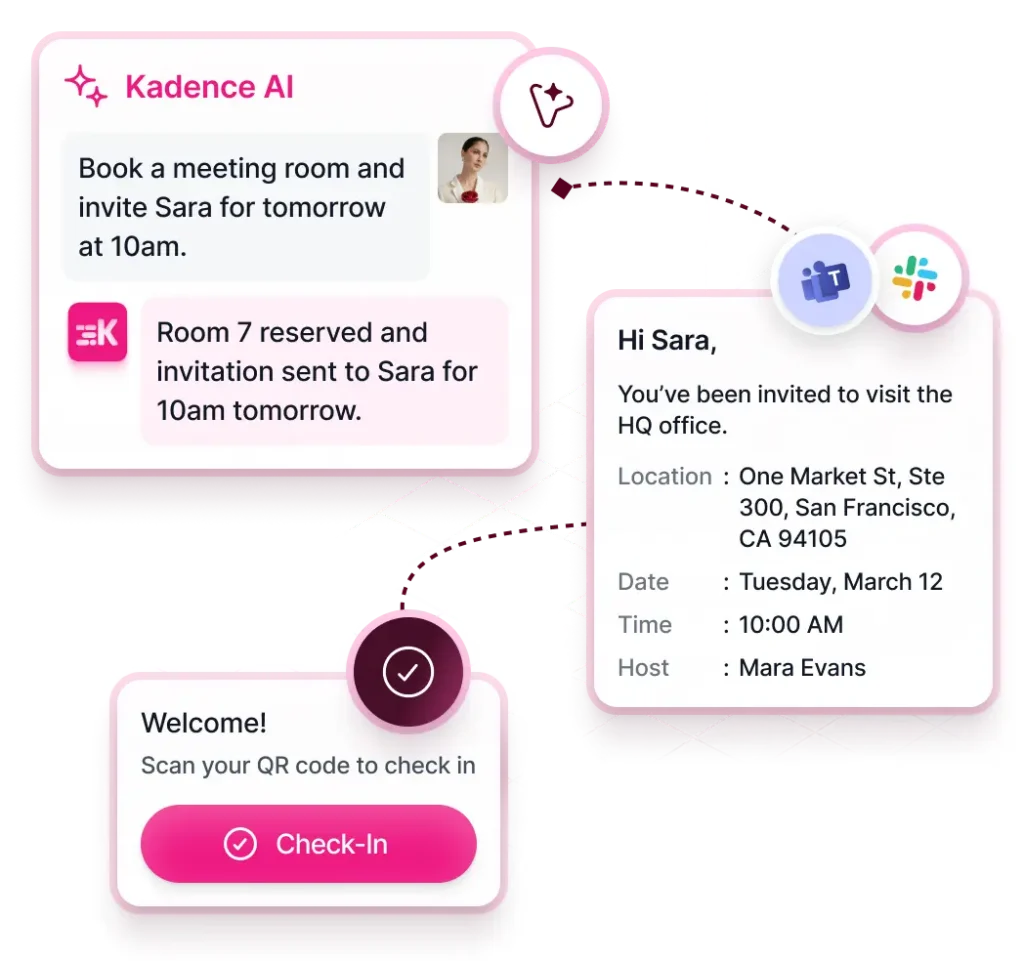
Visitor management matters to enterprise organizations managing security, compliance and front-of-house experience at scale. The right software handles visitor registration, check-in and access permissions in the same system used to manage space, not in a disconnected tool that leaves gaps in the operational picture.
A visitor management system gives a more complete view of who is in the building and when, which matters for both security and capacity planning. It also improves the experience for visitors and for the employees who host them.
Workplace analytics and utilization data
Analytics is often the biggest differentiator between workplace management solutions. The question is not whether the platform provides data, but whether that data is actionable. Check three things:
- whether utilization reports reflect real behavior or only booking activity;
- whether the system identifies trends over time rather than reporting snapshots;
- whether the data can support scenario modeling before decisions are made.
Workplace analytics that connect space usage, team attendance and real estate costs in a single view are particularly valuable for leaders making portfolio-level decisions.
How do you evaluate workplace management software for enterprise needs?
Evaluate enterprise workplace management software with a framework that goes beyond feature comparison. Start by aligning the system with specific goals, such as reducing real estate costs, improving hybrid coordination or gaining visibility across a multi-location portfolio. Then assess scalability, integration depth, long-term product development and total cost of ownership against expected ROI.
Variable demand is a key test. According to JLL’s 2026 Global Occupancy Planning Benchmark Report, global office utilization sits at 56% against an organizational target of 74%. Any solution under evaluation must handle variable demand patterns rather than fixed occupancy assumptions.
Total cost of ownership is the full cost of a platform over its life, including implementation, configuration and ongoing support, not only the software fee. Evaluate it alongside expected ROI.
For organizations that need to model space scenarios before committing to decisions, scenario planning software provides the analytical depth that enterprise real estate decisions require. Kadence’s buyer’s guide sets out a structured way to compare options.
What security, compliance and data checks should you run?
Security and data governance are non-negotiable for enterprise workplace management software, particularly for organizations handling employee presence data, visitor records and real estate information across multiple jurisdictions. Expect clear data privacy controls, role-based access permissions, documented data handling and compliance evidence that matches your industry and geography.
Check each of these before selecting a platform:
- Data privacy controls and role-based access permissions, so people see only what their role requires.
- Compliance documentation relevant to your industry and geography.
- Data location and processing: where data is stored and how it is processed.
- Audit trails: what records of access and change are available.
- Regulatory fit: for regulated industries such as financial services, legal or healthcare, verify alignment with internal standards and external regulatory requirements before selection.
- Reliability and uptime guarantees: a platform that goes down on peak office days disrupts operations, erodes trust and reduces adoption across the organization.
What questions should you ask when comparing workplace management solutions?
Before selecting a solution, work through a structured set of internal questions that go beyond each vendor’s sales narrative. The answers separate platforms that perform well in demonstrations from those that deliver sustained value in practice, and show whether a vendor understands the operational realities of enterprise workplaces.
- Does this system provide actionable data, or does it only report on what has already happened?
- How well does it integrate with the tools already in use across HR, IT and facilities?
- Can it scale as the organization’s headcount, locations or hybrid policies evolve?
- Will employees across different roles and levels of technical ability actually use it consistently?
- What does a typical implementation look like, and what support is available during and after rollout?
Ask vendors to demonstrate how their platform supports your specific goals, and verify integration and scalability claims before committing.
How does Kadence support enterprise workplace management?
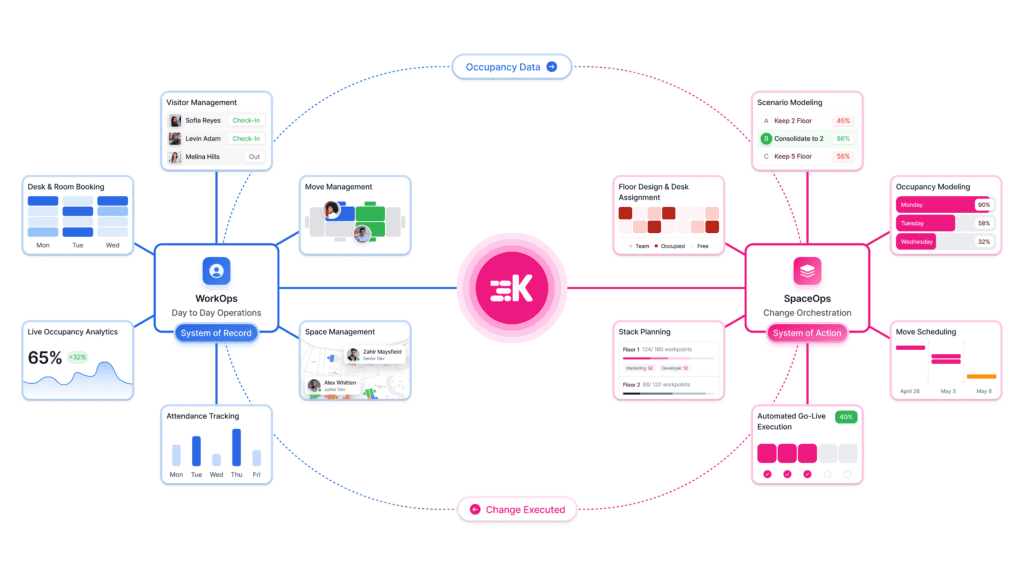
Kadence supports enterprise organizations across each of these requirements, from desk and room booking through to portfolio-level analytics and scenario planning. The aim is the data, scalability and operational alignment an organization needs to make confident decisions about space, people and real estate.
The Kadence platform guide explains how the pieces fit together. To model the financial impact of better workplace management for your organization, use the ROI calculator, or book a demo with Kadence’s workplace operations experts.
Frequently asked questions
How do you choose the right workplace management system?
Start by defining the outcomes your organization needs. Then evaluate platforms on how well they support those outcomes, how easily they integrate with existing systems, and whether they can scale with your organization over time.
What features should workplace management software include?
Core features include desk and room booking, visitor management, workplace analytics, and integrations with HR and calendar systems. The most important factor is whether those features produce actionable data that supports real decisions.
What should organizations consider when evaluating workplace management software?
Key considerations are scalability, integration capability, total cost of ownership, data security and compliance, and ease of adoption across different user groups.
How do you compare workplace management solutions effectively?
Focus on outcomes rather than features. Define what success looks like for your organization, ask vendors to demonstrate how their platform supports those specific goals, and verify integration and scalability claims before committing.
What questions should you ask vendors before selecting a workplace management system?
Ask how the system handles data quality and accuracy, what the implementation process typically involves, how it integrates with existing tools, and what support is available after deployment.