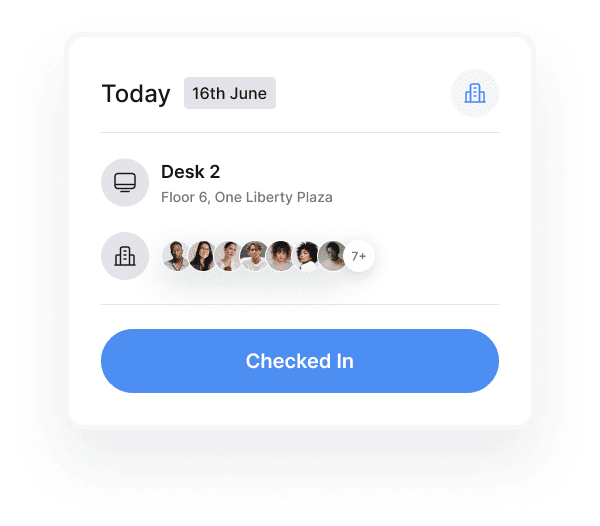
A check-in API lets other systems, such as door access, Wi-Fi or occupancy sensors, check people in and out of desks and rooms automatically. That matters because employees often forget to check in or out, and every missed check-in skews occupancy data. Automating the step keeps booking and occupancy records accurate without relying on people to remember.
In October 2024, Kadence announced improvements to its public API that let organizations automate bookings and check-ins this way. The update is a useful example of how automated check-ins work in practice. The details below describe the API as announced at that time; for current capabilities, see the Kadence hybrid workplace API.
Why is occupancy data often inaccurate?
Occupancy data is often inaccurate because it depends on people checking in and out of their workspaces, and many do not do it consistently. When check-ins are missed, the system cannot tell a used desk from an empty one. The result is data that understates or overstates how the office is really used, which undermines every decision built on it.
Occupancy data is the record of which spaces are actually used, when and for how long, as distinct from which spaces were booked. Missed check-ins cause four linked problems:
- Skewed space utilization metrics. Without accurate check-ins, you cannot tell how office spaces are truly used.
- Poor resource allocation. Inaccurate data leads to poor decisions about where space and amenities go, which can waste valuable office space.
- Booking conflicts. When check-outs are missed, spaces appear occupied when they are free, which causes conflicts and frustration.
- Inefficient cost management. Real estate costs are hard to optimize when occupancy information is unreliable.
For the metrics that depend on this data, see the guide to workplace analytics metrics.
What challenges do IT managers face in automating check-ins?
IT managers have to connect booking data to many other systems while keeping it secure and easy to use. The main challenges are integration complexity, data privacy and security, balancing security with a smooth user experience, scaling as the organization changes, and the overhead of maintaining several systems that must work together.
In more detail:
- System integration complexity. Connecting workplace management tools, access control systems and employee databases can be technically difficult.
- Security concerns. Data privacy and security must hold across the platforms and devices people use in the office and remotely.
- User experience. Strong security has to sit alongside an experience employees find easy.
- Scalability. Solutions need to grow and adapt as the organization and its needs change.
- Maintenance overhead. Several systems need managing, updating and keeping in step.
How does a check-in API automate bookings and check-ins?
A check-in API connects the booking system to the tools that already know when someone arrives. When a trigger fires, such as a badge at the door or a laptop joining the office Wi-Fi, the API books or checks the person in and updates the record straight away. Nobody has to open an app, and the data stays current.
Kadence’s October 2024 update described four parts to this.
Integration with existing systems
The public API was built to connect with an organization’s current systems, including its mobile app, smart building tools or any platform it used to manage the workplace.
Booking and check-in across many space types
Through the API, users could be booked and checked in automatically to:
- Desks
- Meeting rooms
- Lockers
- Private pods
- Parking spaces
Flexible check-in triggers
Depending on the company’s setup, check-ins could be triggered by:
- Door access systems
- Wi-Fi connection
- Geofencing, which detects when a device enters a defined area around a building
- Occupancy sensors
Real-time updates
When a check-in or check-out happened, the system updated immediately, keeping occupancy data accurate and current.
You can see the flow in the public check-in API demo. For another route to automatic check-ins, see automatic check-ins with the Kadence agent for Mac or Windows.
Why do automated check-ins matter for the business?
Automated check-ins produce occupancy data that reflects real use, and that data drives better decisions on space, cost and policy. They also remove everyday frustrations for employees, such as double bookings and desks that look taken but are empty. The benefits fall into three areas: space management, employee experience and data-driven decisions.
Better space management
Accurate occupancy data shows how office spaces are truly used. Organizations can make informed decisions about layout and size, and identify underused areas to repurpose. That creates real opportunities to save on real estate and to allocate resources more strategically. For how this data supports portfolio decisions, see Kadence workplace occupancy.
A better employee experience
Automated check-ins remove common hybrid frustrations like double bookings and workspaces that are unexpectedly occupied. Moving between home and office becomes smoother, and people can rely on the resources they booked being there. Easy tools for managing hybrid schedules make the workplace more flexible and more satisfying.
Data-driven decisions
Real-time occupancy data shows how the workplace is used. Organizations can base hybrid work policies on actual use rather than assumptions, then keep refining their workplace strategy as employee needs change.
What should IT teams look for in a workplace booking API?
IT teams should look for an API that fits their stack, keeps data in sync and can be extended as needs grow. The October 2024 Kadence API was described as offering integrations with existing systems, real-time synchronization, custom workflows, raw data for reporting, mobile and IoT connections, developer documentation and webhooks for event-driven actions.
As announced, those capabilities were:
- Integrations with HR systems, access control platforms and collaboration tools, creating one system for managing the workplace.
- Real-time data synchronization, so occupancy data, bookings and check-ins stayed accurate across all connected systems.
- Custom workflow automation for space booking and check-ins, tailored to an organization’s own processes.
- Reporting, with direct access to raw data for custom reports and analytics dashboards.
- Mobile and IoT integration, enabling features such as contactless check-ins and smart building controls.
- Developer documentation and resources to help IT teams implement and maintain integrations.
- Webhooks, so connected systems could respond quickly to events like check-ins, bookings or capacity changes.
The broader benefits of a public API in hybrid working software are customization, scalability, integration with the rest of the tech stack, and room for new integrations that further improve the workplace.
Frequently asked questions
What is a check-in API?
A check-in API is an interface that lets other systems check people in and out of desks, rooms and other spaces automatically. Instead of relying on employees to tap a button, it uses signals such as door access, Wi-Fi connection, geofencing or occupancy sensors.
Why do automated check-ins improve occupancy data?
Because they do not depend on people remembering. Every arrival and departure is recorded as it happens, so the data shows which spaces were really used, not just which were booked.
Which spaces could Kadence’s API book and check people into?
As announced in October 2024, the API could automatically book and check users into desks, meeting rooms, lockers, private pods and parking spaces.
Can a check-in API respond to events in other systems?
Yes. Kadence’s October 2024 API supported webhooks, which let connected systems respond quickly to events such as check-ins, bookings or capacity changes.