













Product News

Meet SpaceOps: The First AI Built Specifically to Plan, Schedule, and Execute Workplace Change

Luke Christian-Farman
Product Marketing Manager
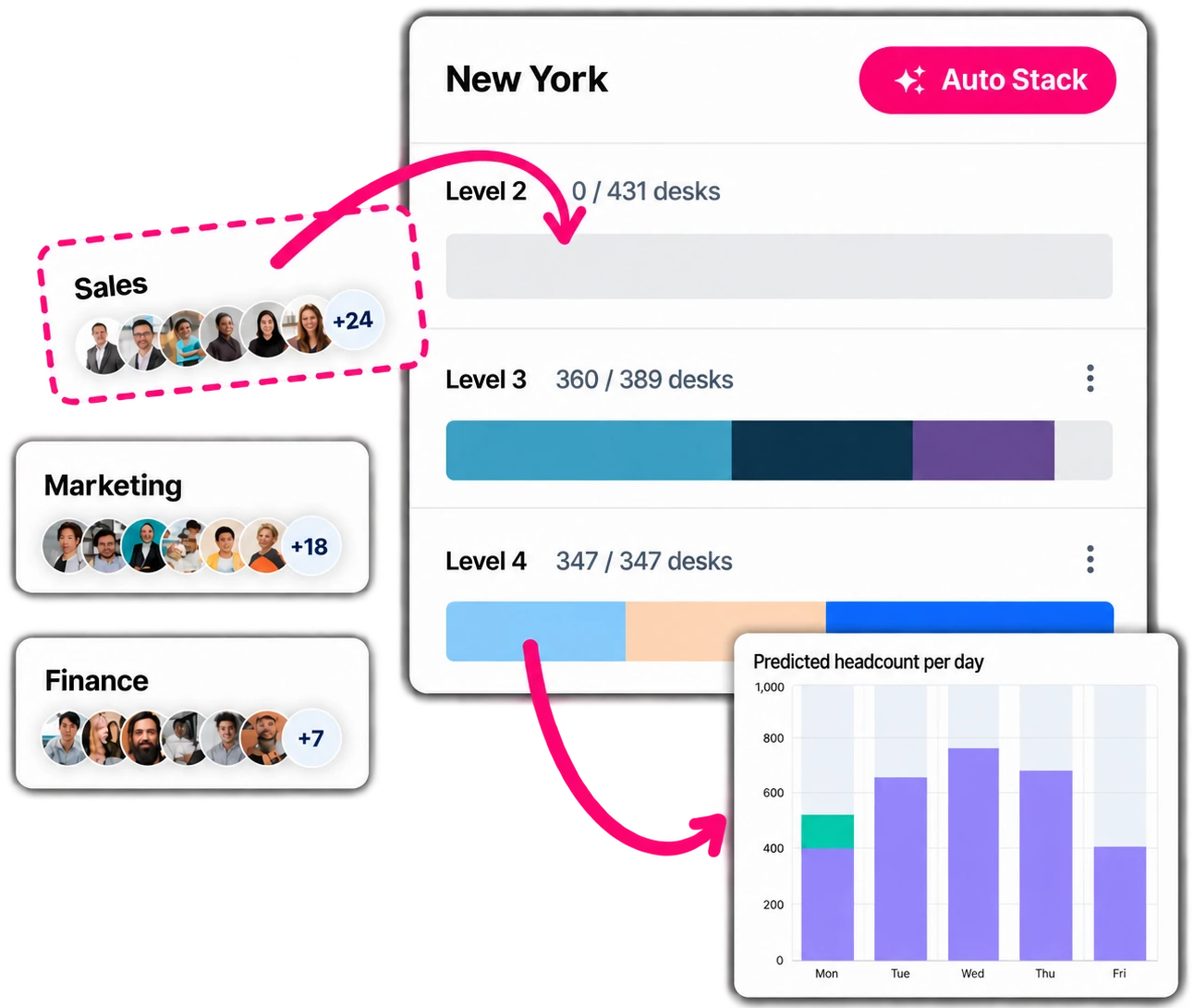
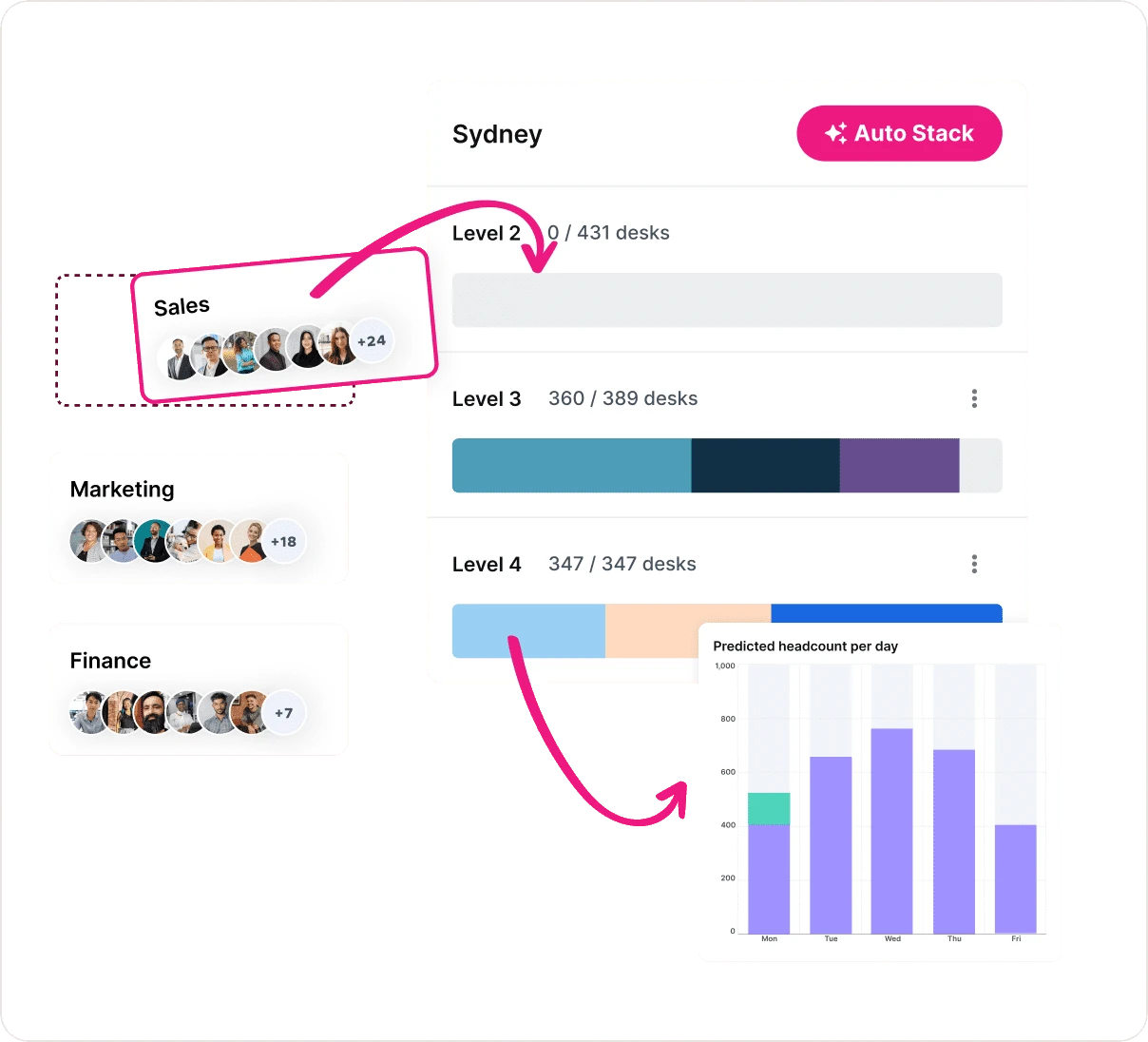
SpaceOps stack planning interface showing team allocations across floors in a Sydney office, with predicted headcount per day chart and Auto Stack AI button.
Get Started With Kadence

See Kadence in action and book a customized demo.

Book Demo

Office space is your organization’s second-biggest cost. And the decisions that shape it are being made right now by senior people working from AI space planning software data they can’t fully trust.

The headcount came from HR. But HR doesn’t track who actually shows up. The stack plan took three months. Then a team restructured, and it was already wrong. So a consultant gets hired. Again. Ten weeks. $80,000. A PDF nobody can find six months later.

And when move day goes wrong — bookings got cancelled, employees arriving to occupied desks, managers briefed too late — nobody blames the process. They blame the person who ran it.

These leaders are making million-dollar calls in public, with consequences hundreds of people feel every morning. With spreadsheets. PDFs. Assumptions dressed up as strategy.

In 2026. Still.

Introducing SpaceOps: Plan, Schedule, and Execute Workplace Change All in One Place

SpaceOps is the first platform to connect planning and execution in one end-to-end system — built on the occupancy data your organization is already generating, every single day.

Not a planning tool. Not a scheduling tool. Not a move management tool. All of it. Connected. Inside Kadence.

SpaceOps platform overview showing five core capabilities: Occupancy Modeling, Stack Planning, Scenario Modeling, Move Scheduling, and Space Planning, all connected through a single AI-powered workplace change management platform.

Here’s what’s available now:

  • AI-powered Stack Planning — built on real booking behavior, not the org chart
  • Space Planning via AI Agent — build your seating plan through natural language; the agent knows your floors, your teams, your data
  • Move Scheduling — set the date, connected directly to the plan. No manual translation
  • Automated Move Execution — on the scheduled date, everything goes live in Kadence automatically. No emails. No chasing
  • Floor Plan Import and Edit — with AI suggestions for optimal team placement
  • Directory Sync and Headcount Modeling — real team data, in from the start
  • Daily MAC Workflow — a faster, more visual interface for the seating changes that never stop
  • Share-Ready Exports — presentation-ready plans, ready for stakeholder sign-off

Calculate the ROI of Your Workplace Operations

Our brand-new ROI Calculator is here to help you visualize your success in seconds.

Why Every Tool Before This Has Failed

Most workplace tools were built to show you a layout. Not change one.

When your stack plan isn’t connected to your schedule, you’re translating manually between what was designed and what gets booked. When occupancy data isn’t in your planning tool, you’re guessing at how much space each team needs. When the schedule isn’t connected to your booking platform, executing a change requires a week of emails and someone manually updating everything after the fact.

Visibility without accountability. For enterprise leaders making board-level decisions, that’s not enough.

Four Things That Make SpaceOps Different From Every Tool That Came Before It

1. Planning Built on Data You Already Have

Every competitor needs sensors, badge readers, or has no data at all.

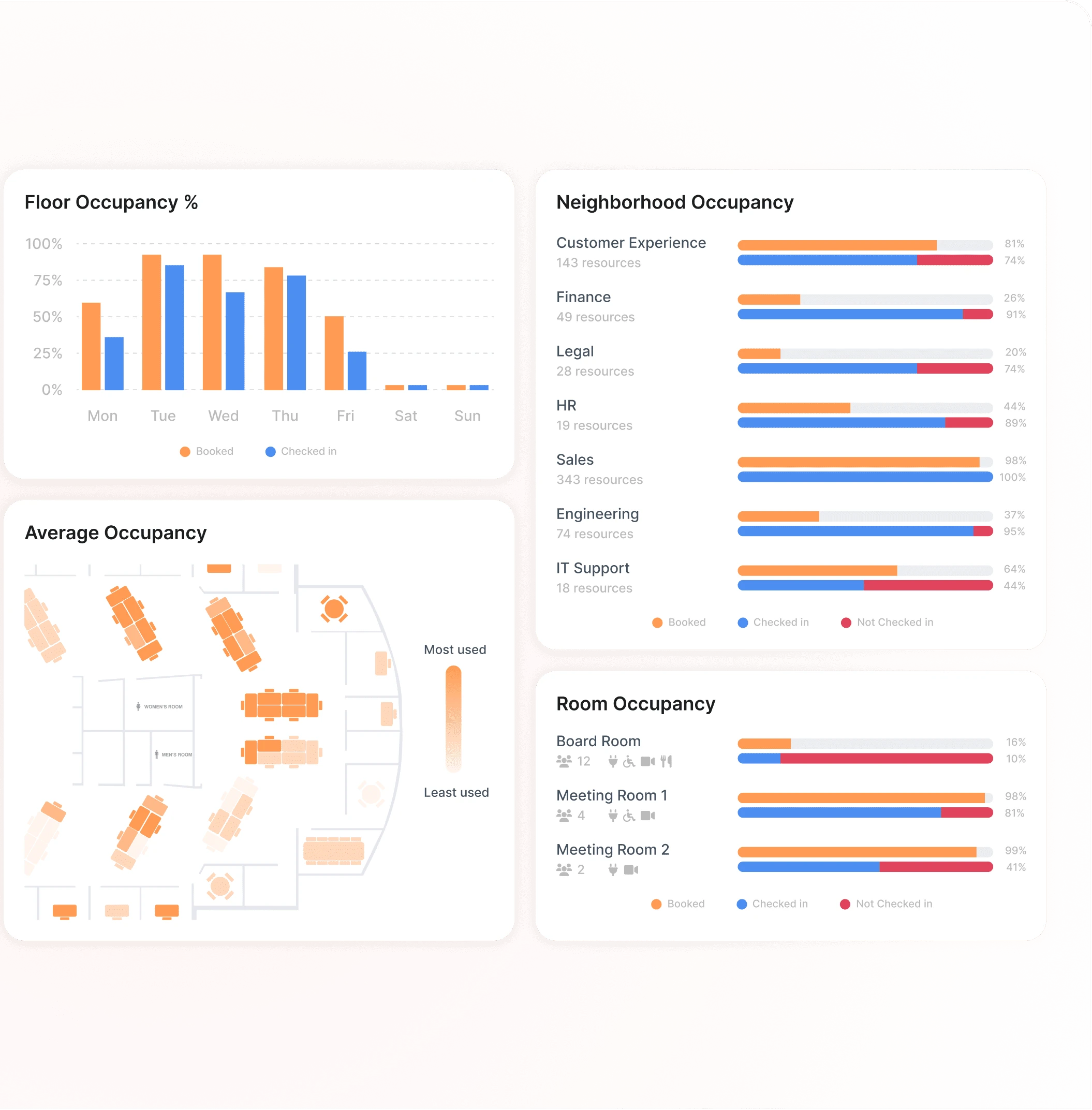
SpaceOps runs natively inside Kadence — it already has your booking signals. Which teams use which floors. How attendance shifts across the week. Where space sits empty. The AI uses that to right-size every team allocation before a single line gets drawn.

No sensors. No badge readers. No guesswork.

SpaceOps AI agent answering "How many desks does Engineering actually need?" using live Kadence WorkOps occupancy data, showing team size, attendance patterns, and an AI-generated desk allocation recommendation.

2. An AI That Thinks Like a Space Planner

Building a seating plan from a signed-off stack is judgment-heavy work — negotiating spatial constraints, catching conflicts, answering “does Engineering have enough room if ten contractors join next quarter?” mid-plan.

SpaceOps introduces an agent-driven planning experience for exactly that. It knows your stack, your floors, your team structure, and your occupancy history. You ask questions. It answers them — with reasoning grounded in your real data. You lock decisions; it adapts around everything else.

And this isn’t third-party AI with a floor plan bolted on. The intelligence in SpaceOps is proprietary — a machine learning algorithm built specifically for this problem, trained on your behavioral signals. It shows its working. You stay in control throughout.

SpaceOps AI agent answering "Can Finance and Legal share a floor if we move to the new layout?" with a live floor plan view from Kadence SpaceOps showing current team allocations across two floors, and an AI-generated recommendation to consolidate both teams onto Floor 1 by moving HR to Floor 2.

3. Plan → Schedule → Execute. Without the Gaps

Every competitor handles one part of the workflow. SpaceOps handles all three — connected, so nothing falls through between them.

Schedule the move from within SpaceOps. Manage closures. Adjust if timelines shift. On the scheduled date, the new configuration goes live automatically — desk assignments, neighborhood groupings, floor plan layouts, all at once.

From the first scenario to the moment the change is live. One system.

SpaceOps AI agent responding to a move scheduling request, showing the Plan, Schedule, and Execute stages of a workplace change with automated booking cancellation and zero manual intervention required.

4. The Daily Work That Never Goes Away

Strategic restacks aren’t the only change that happens. New starters need desks. Teams shift. Neighborhoods need adjusting. Weekly. Daily. Always.

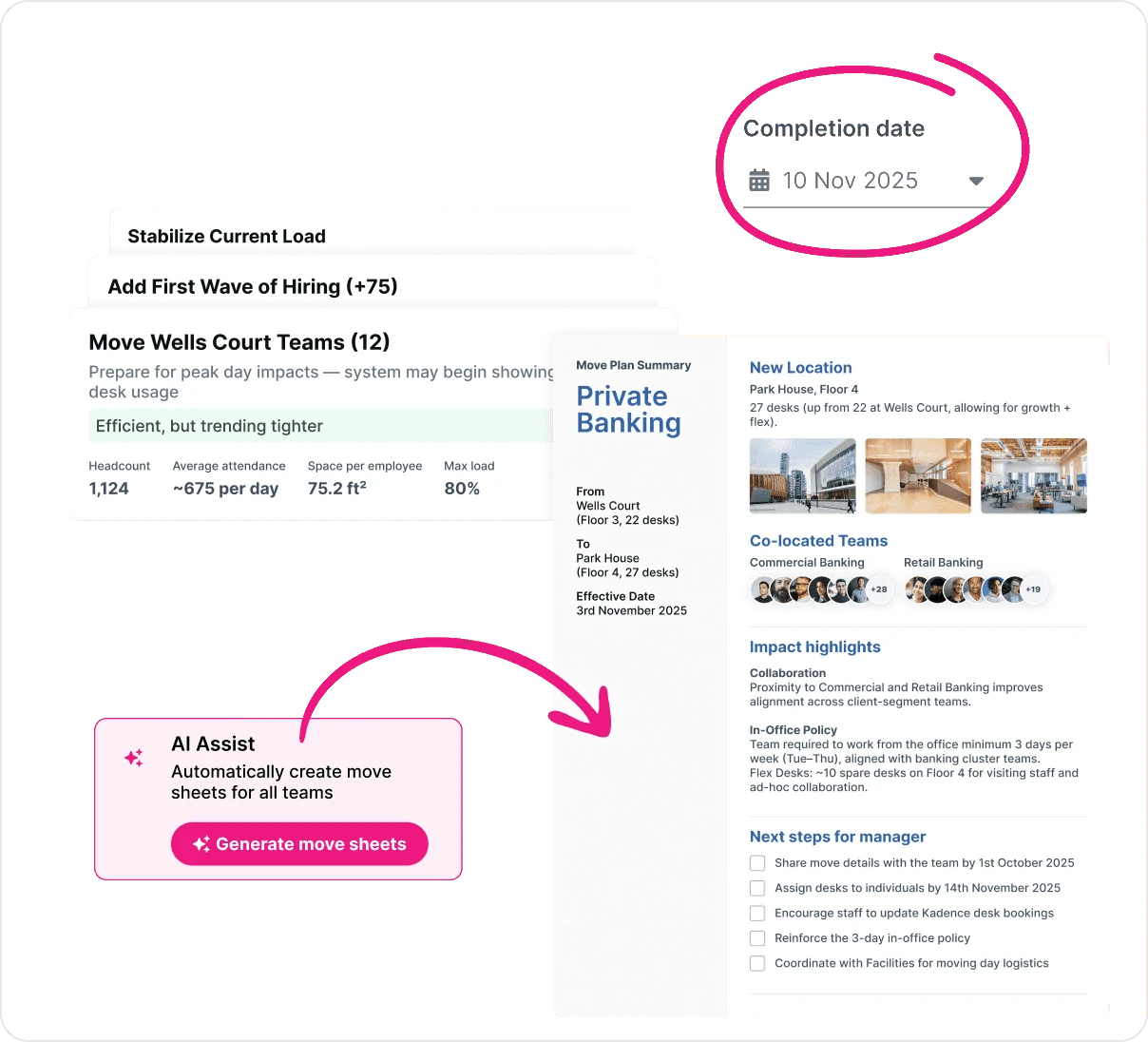
A faster, floorplan-driven MAC interface replaces the current click-heavy workflow. New starters surface automatically from HRIS. Small floor plan changes happen without spinning up a full strategic process. Move sheets generate automatically.

The daily work gets done faster. The big changes stay connected to the plan.

SpaceOps AI agent responding to "Seat the three new starters joining Monday" by automatically assigning desk locations on a live floor plan view, with move sheets generated and a prompt to notify the facilities team about equipment requirements.
The ROI of Getting Workplace Change Right — And What It Costs When You Don't

Less wasted space. Fewer consultant engagements. Moves that go live on time, without the fire drill. And utilization data that actually reflects how your building is used — not how it was booked.

For workplace leaders, the ROI isn’t just operational. It’s the ability to walk into a board meeting with a stack plan grounded in real data, a move that executed cleanly, and the audit trail to back every decision made along the way.

That’s a different conversation with leadership. SpaceOps makes it possible.

Kadence platform diagram showing WorkOps handling day-to-day operations including desk and room booking, visitor management, attendance tracking, and live occupancy analytics, feeding live occupancy intelligence into SpaceOps which handles change orchestration including stack planning, scenario modeling, floor design, move scheduling, and automated go-live execution, with changes applied directly back into WorkOps to close the loop.
SpaceOps and WorkOps: The Complete Picture

SpaceOps handles the strategic work — planning, scheduling, and executing space changes. WorkOps handles everything the workplace team needs to run the day-to-day: desk and room booking, visitor management, interactive floor plans, neighborhood management, occupancy intelligence, and the insights that make every future decision sharper.

The two aren’t separate products. They’re two sides of the same system. WorkOps generates the real behavioral data — who books what, when, how often, across which teams — that SpaceOps turns into defensible planning decisions. SpaceOps executes the change, and the new configuration feeds straight back into WorkOps, keeping the operational layer current without anyone lifting a finger.

The Kadence Workplace Operations Platform is the only system that runs the full loop, from how your people use space today to how your workplace should be configured tomorrow.

We don’t sell tools. We build the operational infrastructure that runs the modern enterprise workplace.

SpaceOps, the world’s first AI space planning software, is available now. If you’re ready to run workplace change end-to-end — without the spreadsheets, the consultants, or the fire drills — book a demo or calculate your ROI to see how much you can save in seconds.

Calculate the ROI of Your Workplace Operations

Our brand-new ROI Calculator is here to help you visualize your success in seconds.

FAQs

What is SpaceOps in workplace planning?

SpaceOps is a workplace planning platform that connects strategy and execution in one system, helping teams model space decisions and then put approved plans live. 

How does SpaceOps improve workplace planning and execution?

It helps workplace leaders move from scenario planning to go-live faster by reducing manual handoffs, supporting re-optimization, and activating approved workplace changes in the same platform. 

Why is traditional workplace planning no longer effective?

Traditional workplace planning is often fragmented and static, which makes it harder to adapt when headcount, team structures, or attendance patterns change. 

How does SpaceOps support workplace strategy decisions?

SpaceOps helps leaders evaluate options, understand tradeoffs, and make evidence-based decisions about space, adjacencies, and future workplace needs. 

How do workplace leaders use SpaceOps to plan and adapt office space?

They can use it to test scenarios, refine plans, export leadership-ready outputs, and implement approved changes without relying on disconnected tools or manual execution. 


Related Articles
Kadence Room Display tablet mounted outside a meeting room showing live availability and instant booking, with Find a Room and analytics widgets.
Product News
Introducing Kadence Room Displays: Room Booking Reimagined For Workplace Operations
ROI Calculator
Product News
Calculate the Financial Impact of Your People and Spaces
Visitor checking in at an office using a QR code, with a digital kiosk screen and real-time occupancy and visitor insights displayed.
Product News
Introducing The New Kadence Visitor Management System