
Move Manager
Move management software for every desk change.
Move management software plans and carries out workplace moves, from one new starter's desk to a whole team changing floors. Kadence Move Manager seats joiners, clears leavers and relocates teams on your live floor plan, then tells each employee where they are going.
How it works
From HR change to seated employee in three steps
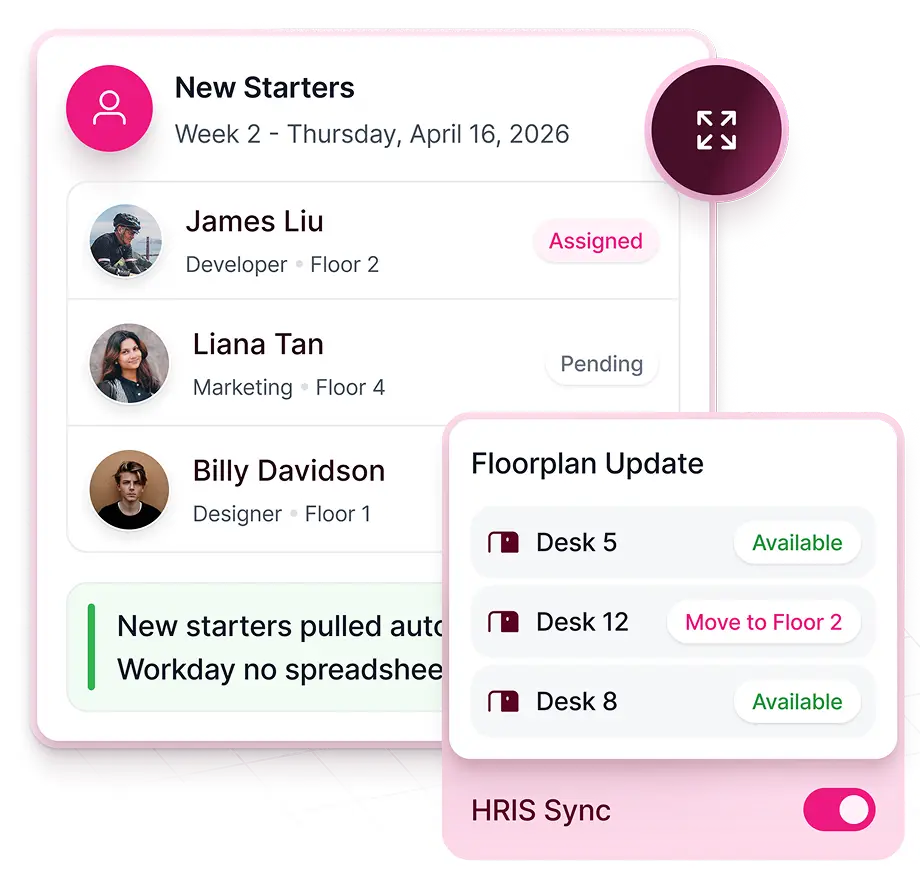
Bring in who is moving
New starters, leavers and leave dates arrive from Workday, BambooHR or HiBob. Other HR systems push fields through the API, or you upload a move list from a spreadsheet.
Seat them on the floor plan
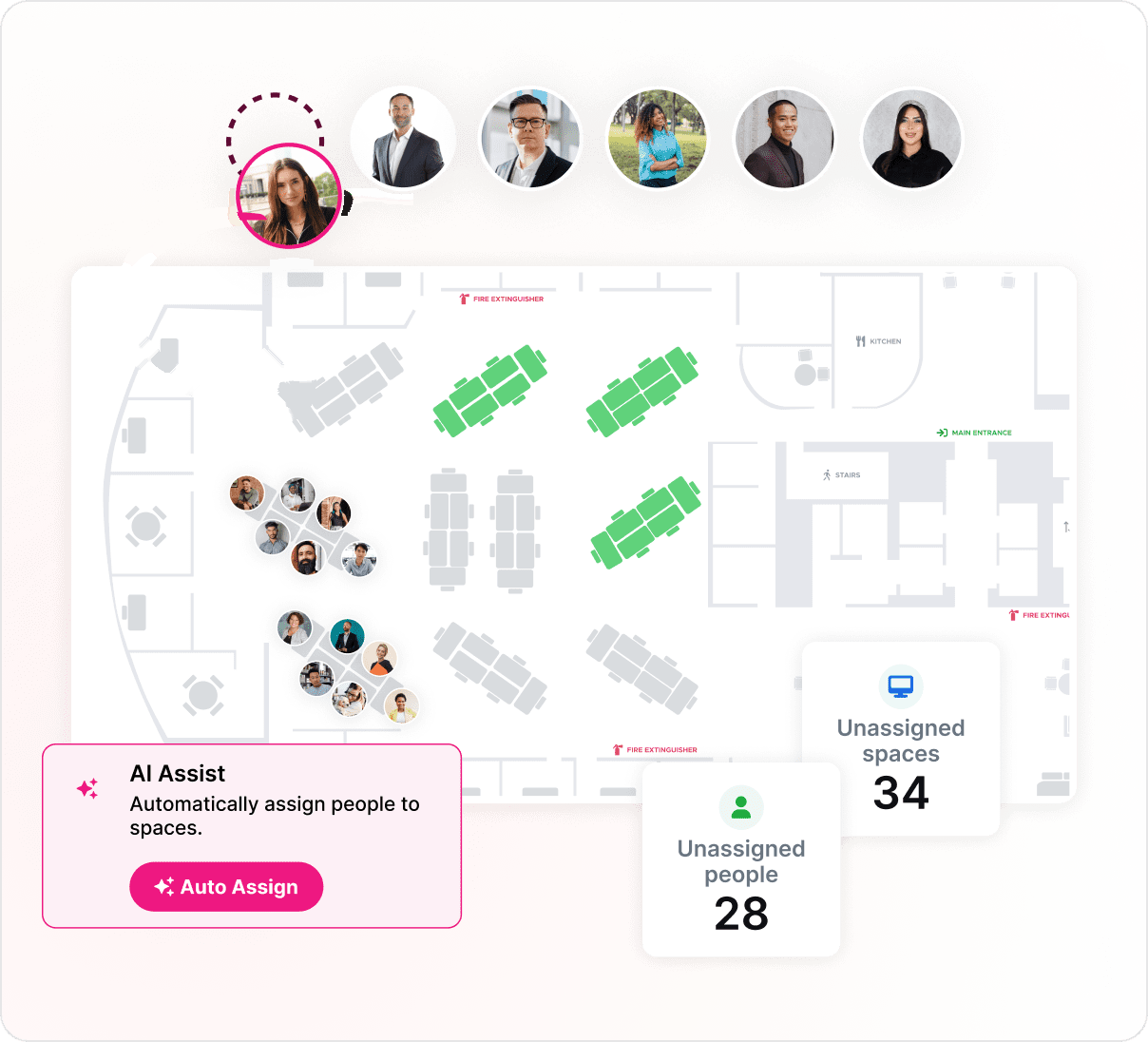
Move Manager recommends desks and auto-assigns people, one at a time or in bulk, on the floor plan employees already book from.
Tell every employee
Each person gets a move email and a personal move sheet that shows where they are moving. Nobody builds move sheets by hand.
Recommendations and auto-assign
Seat people in seconds, not spreadsheets.
Move Manager recommends desks and assigns people to them for you. Seat one new starter, or a whole team with bulk auto-assign.
- Desk recommendations for each person
- Bulk auto-assign for teams and floors
- Bulk move uploads from a spreadsheet

Team relocations
Move teams as teams.
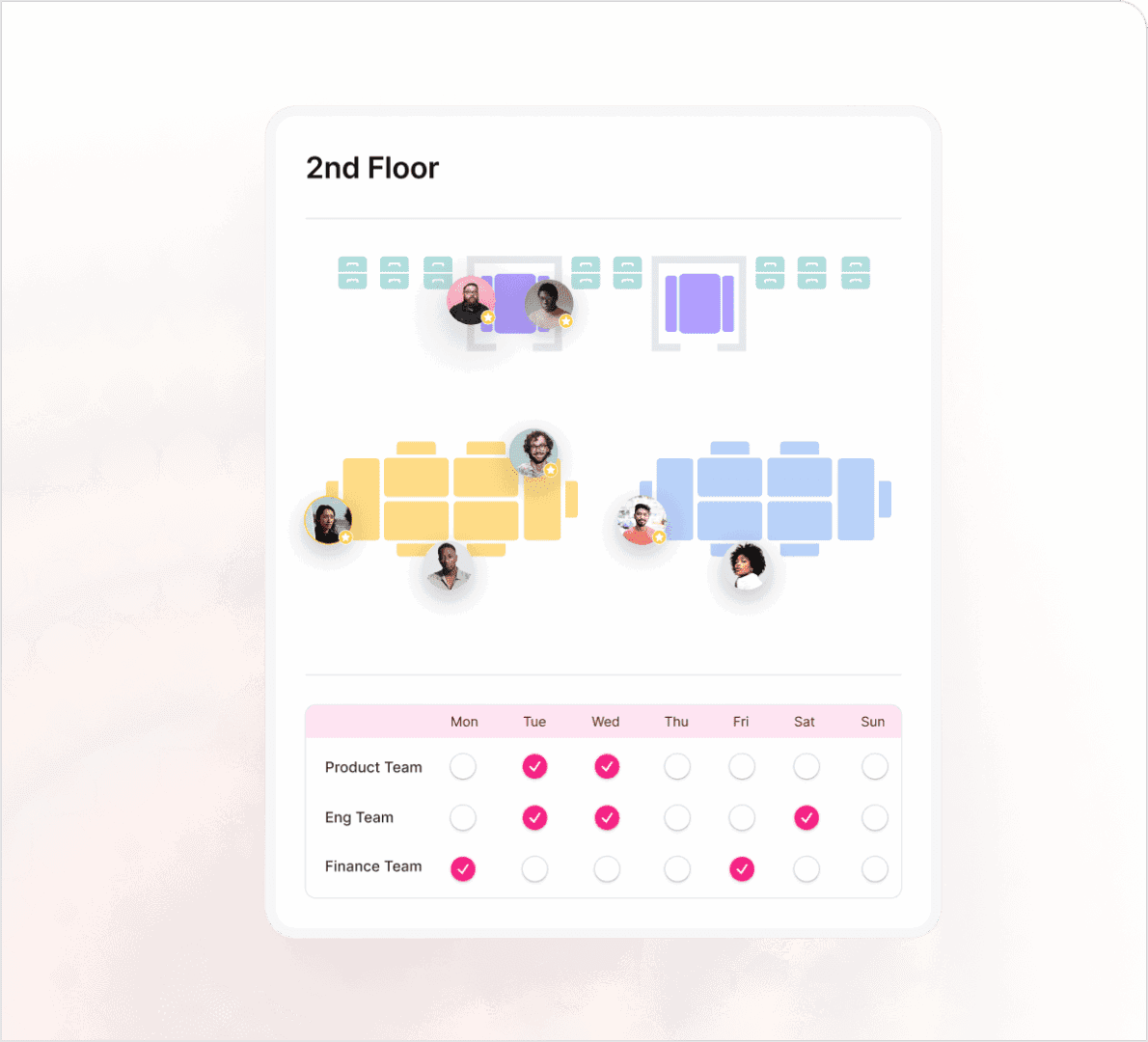
Neighborhoods keep each team together on the floor plan. When a team moves floors, relocate it in one pass and give it a neighborhood on the new floor.
- Team neighborhoods and assigned desks
- Neighborhood Scheduler for shared or rotating floors
- Employees book next to their team from Slack or Teams
 Kadence

Moves, adds and changes
Every kind of move, in one place
Workplace teams handle a steady flow of small moves and a few big ones. Move Manager runs both on the same floor plan.
- New startersSeat joiners before day one, from desk recommendations or auto-assign.
- LeaversFree seats when people leave. With the HRIS integration, leavers are removed from their seats automatically.
- Ad-hoc movesMove one person to a new desk without a spreadsheet or an email chain.
- Team relocationsMove a whole team to a new floor or neighborhood in one pass, with bulk auto-assign or a bulk move upload.
When moves happen
Built for the moves that come with real estate change
Consolidations, lease events and reorganizations each end in hundreds of desk changes. Move Manager turns the plan into seated people.
Consolidating floors or buildings
Plan the target layout, then seat every affected person in bulk and send each one a move sheet.
A lease ends or a new office opens
Load the people moving from a spreadsheet and auto-assign them on the new floor plan. Each person gets a move email and a move sheet.
Reorganizations and mergers
When teams change, reseat them as teams. Neighborhoods keep each team together on the floor plan.
Steady hiring and attrition
HR system sync turns every joiner and leaver into a desk change, so seating stays accurate between big moves.
Plan first with SpaceOps
Plan big moves before you make them
For a restack or a consolidation, plan the target state first. In SpaceOps, the AI planning agent builds stack and seat-level plans from your occupancy data, and you compare scenarios side by side.
When you approve a plan, SpaceOps publishes it to WorkOps as live neighborhoods and desk assignments. Editable floor plans let you change layouts in the browser, review the impact and roll back if needed.

Customer story · Higher Education
RCS England consolidated two floors into one and saved over £40,000 a year.
£40,000+ annual facilities savings
Read the RCS England story“Kadence has become second nature, like getting a coffee. It’s woven into how we work.”
Mahsa Mohseni, Project Manager, RCS England
FAQ
Frequently asked questions
What is move management software?
Move management software plans and carries out workplace moves, from one desk change to a team relocating across floors or buildings. It records who moves where and when, seats people on the floor plan, tells employees in advance and keeps seating records accurate afterward. The glossary covers move management in more depth.
What are moves, adds and changes (MAC)?
Moves, adds and changes is the routine work of relocating people and teams, preparing space for new occupants and updating desks or assignments. Workplace teams run it all the time as people join, leave and reorganize. Move Manager handles each type: new starters, leavers, ad-hoc moves and team relocations.
How does Kadence handle new starters and leavers?
The HRIS integration syncs new starters, leavers and leave dates from Workday, BambooHR or HiBob. Move Manager seats new starters with desk recommendations and auto-assign, and leavers are removed from their seats automatically. Customers on other HR systems can push the same fields through the API.
Can I move many people at once?
Yes. Bulk auto-assign seats a group from Move Manager's recommendations, and a bulk move upload takes a spreadsheet of people and destinations. Both work on the live floor plan, so a team relocation or a floor consolidation is one change instead of hundreds of edits.
How do employees find out about their move?
Each employee gets a move email and a personal move sheet that shows where they are moving. Move Manager creates both, so the workplace team does not write move notices or build move sheets by hand, and nobody turns up on moving day without knowing their new desk.
Which Kadence plan includes Move Manager?
Move Manager, bulk auto-assign, move notifications and the HRIS integration are part of WorkOps Pro. Editable floor plans are a WorkOps Pro add-on and come included with SpaceOps. See pricing for the full list by plan.
Explore more
In the glossary
Products, templates and stories
Next step
See how leaders run the modern workplace.
Thirty minutes with a workplace strategist. Bring a floor you are unsure about.